UAN activation is the first thing every salaried employee in India should complete. Your Universal Account Number (UAN) is the 12-digit key to your Employees’ Provident Fund. Without UAN activation, you cannot check your EPF passbook, transfer PF from an old job, update KYC, add a nominee or file a withdrawal claim. In 2026, EPFO changed the process: UAN activation now happens through the UMANG app using Aadhaar-based face authentication, and the old OTP-based activation on the member portal has been discontinued.
This guide explains the new UAN activation process step by step, what you need before you start, how to generate a new UAN, how to recover a forgotten UAN, how to check UAN activation status, and how to fix common errors like face authentication failure.
What Is UAN and Why Is Activation Needed?
The Universal Account Number is allotted by the Employees’ Provident Fund Organisation (EPFO) to every member. It stays the same for life, even when you change jobs. Each new employer creates a new Member ID (PF account number) and links it to your UAN, so all your PF accounts sit under one umbrella.
Allotment and activation are two different things. Your employer can allot a UAN, but you must activate it yourself to use online services. Once your UAN activation is complete, you get access to:
- EPF passbook with month-wise contributions and interest
- Online PF transfer when you change jobs
- Partial and final withdrawal claims
- KYC updates (Aadhaar, PAN, bank)
- e-Nomination for your family
- Claim status tracking and grievance filing
UAN Activation New Rule 2026: What Changed?
EPFO first introduced the Face Authentication Technology (FAT) for UAN generation for new employees in 2025. In July 2026, following an upgrade of its member portal and database, EPFO moved both UAN generation and UAN activation fully to the UMANG app. Members can no longer activate UAN on the member portal with a simple mobile OTP.
| Feature | Old process | New process (2026) |
|---|---|---|
| Platform | EPFO member portal | UMANG app |
| Verification | Mobile OTP | Aadhaar face authentication |
| Employer role | Employer often generated UAN | Employee completes it directly |
| Fraud risk | Higher (OTP misuse) | Lower (live face match) |
The change aims to stop fake accounts and wrong Aadhaar seeding. Since face authentication confirms that the person is physically present, the details in EPFO records match the real member from day one.
Things You Need Before Starting
- UAN number (from your salary slip, offer letter or HR team). If you don’t have one, you can generate it in the same app.
- Aadhaar number with correct name, date of birth and gender.
- Mobile number linked with Aadhaar that is active for OTP.
- A smartphone with a working front camera and good internet.
- UMANG app (Android or iPhone) and, on Android, the AadhaarFaceRD app if prompted during face scan.
- Aadhaar biometrics should be unlocked. If you locked them, unlock temporarily using our guide on how to lock and unlock Aadhaar biometrics.
How to Do UAN Activation Using UMANG App: Step-by-Step
Step 1: Install and Register on UMANG
Download the official UMANG app from the Play Store or App Store. Register with your mobile number, set an MPIN and log in. You can also visit the UMANG web portal to learn more about the services.
Step 2: Open EPFO Services
Search for “EPFO” in UMANG, or open it from the services list.
Step 3: Select UAN Activation
Under the section “UAN Services Through Face Auth”, tap UAN Activation.
Step 4: Enter Your Details
Type your UAN, Aadhaar number and name exactly as in Aadhaar. Give consent and verify the OTP sent to your Aadhaar-linked mobile.
Step 5: Complete Face Authentication
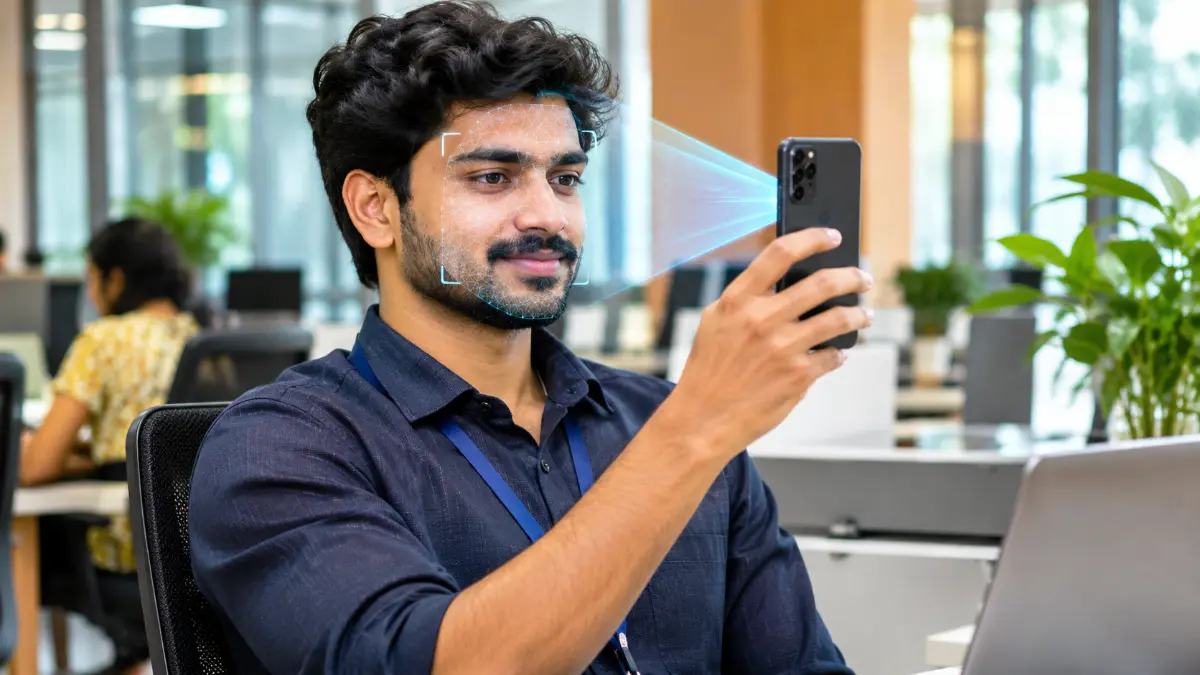
The app opens the camera. Hold the phone at eye level, keep your face inside the frame, remove spectacles or caps, and blink when asked. Do the scan in bright, even light. The system matches your live face with your Aadhaar photo.
Step 6: Receive Your Password
Once face authentication succeeds, your UAN activation is completed and a temporary password is sent to your mobile by SMS.
Step 7: Log In and Change Password
Visit the EPFO member portal, log in with UAN and the temporary password, and set a strong new password. Your account is now ready for all online services.
How to Generate a New UAN Through UMANG
If you are joining your first job and your employer has not allotted a UAN, you can generate one yourself:
- Open UMANG and go to EPFO services.
- Choose UAN Allotment and Activation.
- Enter Aadhaar and mobile number, verify OTP.
- Complete face authentication.
- Your UAN is allotted and activated together. Share it with your employer so they can link your PF account.
This single-step method saves time because UAN allotment and UAN activation happen at the same moment.
How to Check UAN Activation Status
- Try logging into the EPFO member portal with your UAN and password. If login works, your UAN is active.
- In UMANG, open EPFO and tap “View Passbook”. If it loads, activation is done.
- Give a missed call to 9966044425 from your registered mobile. If you receive an SMS with your balance and KYC details, your UAN is active and Aadhaar is seeded.
Forgot UAN? How to Find It
Many people forget their UAN after changing jobs. To recover it:
- Check old salary slips, Form 16 or appointment letters.
- Ask the HR or payroll team of your current or past employer.
- Use the “Know Your UAN” option in UMANG or the member portal with your registered mobile number, OTP and Aadhaar or PAN details.
Common UAN Activation Errors and Fixes
| Error | Reason | Fix |
|---|---|---|
| Face authentication failed | Low light, glasses, old Aadhaar photo | Retry in daylight; update Aadhaar photo at an Aadhaar centre if very old |
| Aadhaar biometric locked | Biometric lock enabled | Unlock biometrics temporarily on mAadhaar or UIDAI website |
| OTP not received | Mobile not linked to Aadhaar | Update mobile in Aadhaar first |
| Name/DOB mismatch | Employer entered wrong details | Ask employer to correct, or submit Joint Declaration |
| UAN already activated | Activated earlier | Use “Forgot Password” with OTP on the portal |
If your Aadhaar mobile number is outdated, follow our guide to update mobile number in Aadhaar before trying again.
What to Do After UAN Activation
1. Complete KYC
Log in to the member portal, open Manage > KYC, and add your bank account with IFSC and PAN. Aadhaar is already verified through face authentication. Approved KYC is required for claims.
2. Merge Old PF Accounts
If you have worked at more than one company, use Online Services > One Member – One EPF Account (Transfer Request) to move old balances to your current account. This keeps your service continuous for tax benefits and pension.
3. Add a Nominee
Go to Manage > E-Nomination and add family members with Aadhaar and share percentage. Nomination ensures your family gets the money and insurance benefit (EDLI) quickly in case of an unfortunate event.
4. Check Your Passbook Regularly
Every month, confirm that your employer is depositing both shares. Missing deposits can be reported on the EPFiGMS grievance portal.
5. Know How to Withdraw
When you need funds, follow our step-by-step guide on PF withdrawal online to file the right claim.
Benefits of UAN Activation for Employees
- Portability: One number for your entire career, across every employer.
- Transparency: See every rupee deposited and the interest credited each year.
- Speed: Online claims with auto-settlement can be completed in a few days.
- Insurance cover: Your family stays eligible for Employees’ Deposit Linked Insurance (EDLI), which offers up to ₹7 lakh.
- Pension planning: Track your EPS service years towards a monthly pension.
- Security: Face authentication reduces identity misuse and fraudulent claims.
Role of the Employer in UAN Activation
Under the new system, employees complete UAN activation themselves, but employers still play an important role. They must link your Member ID to the UAN, file the monthly ECR (electronic challan cum return), mark your date of joining and exit correctly, and approve certain KYC details. If your passbook shows no deposits even after UAN activation, speak to HR first, then raise a grievance if the issue continues.
Safety Tips
- Install UMANG only from official app stores.
- Never share your UAN password, MPIN or OTP with anyone, including “agents”.
- EPFO does not call members to ask for bank details or money.
- Use a strong password with letters, numbers and symbols.
- Log out after using the portal on shared computers.
Our detailed UMANG app guide explains other useful services you can access after logging in.
UAN Activation for Contract and Gig Workers
Contract staff, security guards, housekeeping workers and others employed through agencies are also covered under EPF if the agency is registered. Ask your contractor for your UAN on the salary slip, and complete UAN activation yourself with face authentication. Many contract workers lose track of PF when agencies change; an activated UAN keeps all accounts traceable, so you never lose your savings.
UAN vs Member ID vs PF Account Number
These three terms confuse many employees, so here is a simple explanation. The UAN is your lifetime number that never changes. The Member ID is created by each employer and looks like a long code containing the state, office, establishment code and your serial number. Every job gives you a new Member ID, but all of them are linked to one UAN. The term PF account number is commonly used for the Member ID. When you transfer funds, you are moving money from an old Member ID to the latest one under the same UAN.
How to Read Your EPF Passbook
Once you can log in, the passbook shows four important columns: the employee share, the employer share, the pension contribution and the interest. Each row represents a month’s wage period. At the end of the financial year, interest is credited as a separate line. If you see a gap of several months, check with your employer whether the challan was filed. Download the passbook as a PDF once a year and keep it safely for records, home loan applications and visa paperwork.
How to Add or Update Bank Account in UAN
- Log in to the member portal.
- Go to Manage > Bank Account (or KYC).
- Enter the account number twice and the IFSC code; the portal verifies the IFSC automatically.
- Submit with Aadhaar OTP.
- Bank details are verified with the bank, often within a few days, without needing employer approval in most cases.
Always use a savings account in your own name. Joint accounts are allowed only if you are the first holder. Payments to closed or inactive accounts get returned, which delays claims.
EDLI Insurance: A Hidden Benefit
Every EPF member is automatically covered under the Employees’ Deposit Linked Insurance scheme without paying any premium. If a member passes away while in service, the nominee can receive a lump sum that ranges from a minimum of ₹2.5 lakh to a maximum of ₹7 lakh, depending on the average wages and balance. Keeping your account active, KYC complete and nominee updated ensures your family can claim this benefit without running from office to office.
Name Change After Marriage
Women who change their surname after marriage should first update the name in Aadhaar. Once Aadhaar shows the new name, request a correction in EPFO records through the “Joint Declaration” facility, where the employer confirms the change. Doing this early avoids mismatches that can block claims and transfers later. The same applies to anyone who corrects the spelling of their name or date of birth.
Using DigiLocker and the EPFO Passbook Together
You can store your UAN card in DigiLocker by linking the EPFO issuer. This gives you a digital copy that is accepted for verification. Combined with the downloadable passbook, you always have proof of employment and savings ready on your phone, which is useful while applying for loans, rental agreements or visas.
Quick Checklist
- UAN number noted safely
- Aadhaar mobile number active
- Biometrics unlocked during face scan
- UMANG installed from the official store
- Password changed after first login
- Bank and PAN added in KYC
- Old accounts transferred
- Nominee added with Aadhaar
Tips for a Successful Face Scan
Most failures happen because of small, avoidable issues. Sit facing a window during the day so light falls evenly on your face. Avoid strong light from behind, which turns your face into a shadow. Clean the front camera lens with a soft cloth. Remove spectacles, masks, caps and heavy face accessories. Keep a neutral expression and look straight into the camera, then blink slowly when the app asks. Make sure your internet is stable, because the image is sent for matching in real time. If the scan fails three or four times, wait for some time and try again rather than repeating it immediately.
Older Aadhaar photos taken many years ago can also cause mismatches, especially for people who enrolled as children. In that case, a biometric update at an Aadhaar Seva Kendra is the permanent solution. After the update is processed, the new photo is used for matching and the scan usually passes on the first attempt.
Help and Grievance Options
If nothing works, you can raise a complaint on the EPFiGMS portal by selecting “PF Member” and describing the problem with your UAN. You can also contact the EPFO helpline at 1800-118-005 on working days. For UMANG app issues, use the in-app “Help” section or the UMANG helpline 97183-97183. Keep screenshots of the error messages; they help the support team understand the problem quickly and resolve it faster.
Frequently Asked Questions on UAN Activation
Can I do UAN activation on the EPFO portal in 2026?
No. EPFO has discontinued activation on the member portal. UAN activation is now done only through the UMANG app with Aadhaar face authentication.
Is face authentication mandatory?
Yes. Face authentication is compulsory for UAN generation and activation through UMANG.
How long does UAN activation take?
Usually a few minutes. The password arrives by SMS immediately after successful face authentication.
Can I activate UAN without Aadhaar?
No. Aadhaar is mandatory because the process uses Aadhaar-based authentication.
Do I need to activate UAN again after changing jobs?
No. UAN activation is a one-time process. Your new employer just links the new Member ID to the same UAN.
What if my face does not match my Aadhaar photo?
Retry in good light without spectacles. If it still fails, update your Aadhaar photo at an Aadhaar Seva Kendra and try again after the update is processed.
Conclusion
UAN activation in 2026 is quick and secure when you follow the right steps. Keep your Aadhaar details and mobile number updated, use the UMANG app, complete face authentication in good light, and set a strong password. Once your UAN is active, finish KYC, merge old accounts and add a nominee, so your Provident Fund is ready whenever you need it. Share this guide with colleagues who are joining a new job this year.
Remember, a few minutes spent today on UAN activation can save you weeks of running around later, when you urgently need to withdraw money, change jobs or help your family claim insurance. Do it once, do it right, and keep your login details safe.