Filed your ITR and waiting for money to come back? Checking your income tax refund status online is the easiest way to know whether the Income Tax Department has processed your return, approved your refund and sent it to your bank account. If you paid more tax than you owed through TDS, advance tax or self-assessment tax, you are entitled to a refund, often with interest. But refunds can get delayed for simple reasons like an unverified bank account or a pending e-verification.
In this guide, we show you how to check income tax refund status on the e-filing portal with and without login, through the Protean (NSDL) website, what every status message means, why refunds fail, how to request a refund reissue, and how much interest you can get on a delayed refund. The steps apply to returns filed for Assessment Year 2026-27 and earlier years.
What Is an Income Tax Refund?
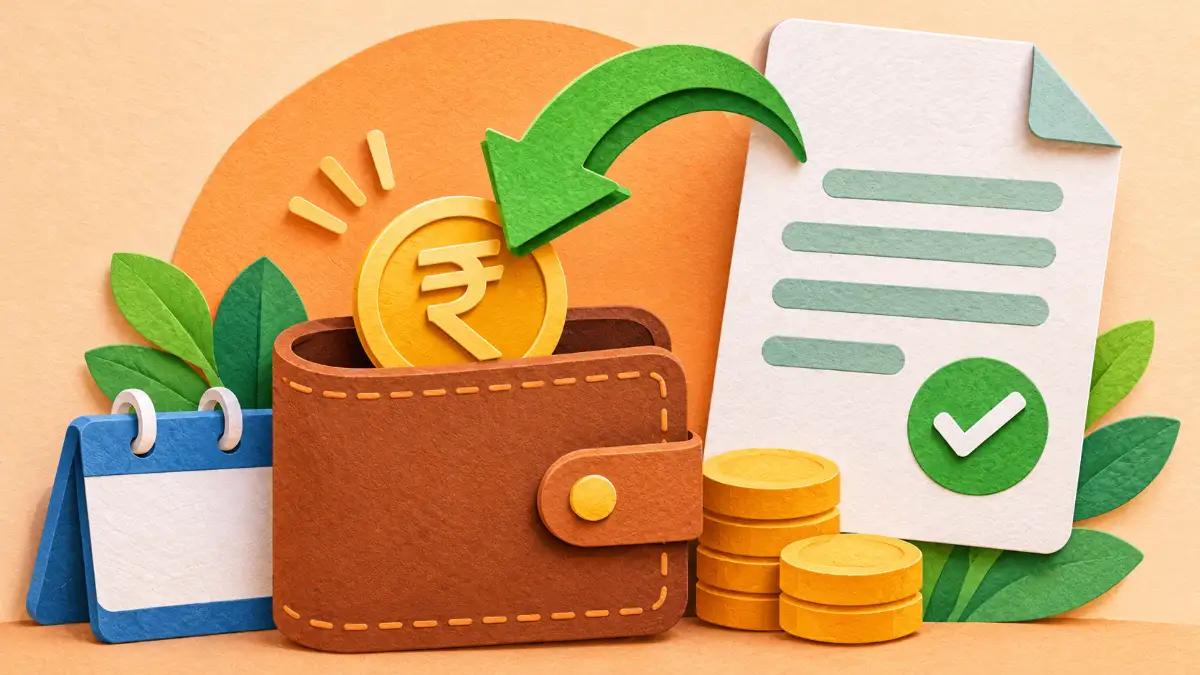
An income tax refund is the excess tax you paid during the financial year, returned by the government after your Income Tax Return (ITR) is processed. Common reasons for refunds include:
- Employer deducted more TDS than your final tax liability
- Banks deducted TDS on fixed deposit interest even though your income is below the taxable limit
- You claimed deductions (80C, 80D, HRA, home loan interest) in the ITR that were not given in TDS
- You paid excess advance tax
- TDS deducted on freelance or professional income that exceeds actual tax
The refund is credited directly to the bank account you have pre-validated on the e-filing portal.
Before You Check: Make Sure These Are Done
- ITR is e-verified: Your return is not processed until it is verified using Aadhaar OTP, net banking, bank account EVC or by sending a signed ITR-V. Verification must be done within 30 days of filing.
- Bank account is pre-validated: The account must be validated and nominated for refund on the portal.
- PAN is linked with Aadhaar: An inoperative PAN can stop refunds. Learn how to fix it in our guide on linking Aadhaar and PAN online.
- Name in bank matches PAN: Mismatches can cause refund failure.
How to Check Income Tax Refund Status on the E-Filing Portal (With Login)
- Go to the official Income Tax e-filing portal.
- Click Login and enter your PAN (user ID), password and the OTP if required.
- From the menu, select e-File > Income Tax Returns > View Filed Returns.
- Choose the relevant Assessment Year.
- Click View Details to see the complete life cycle of your return: filed, verified, processed, refund issued, and refund credited.
This page shows the refund amount, date of issue, mode of payment, and any failure reason. It is the most detailed way to check income tax refund status.
How to Check Income Tax Refund Status Without Login
The e-filing portal also offers a quick service that does not require logging in:
- Open the e-filing portal home page.
- Under Quick Links, click Know Your Refund Status.
- Enter your PAN, select the Assessment Year and enter your mobile number.
- Verify with the OTP sent to your mobile.
- The current income tax refund status will be shown.
Check Refund Status on the Protean (NSDL) Website
Refunds are paid through the State Bank of India as the refund banker, and the status is also available on the Protean (formerly NSDL) TIN website:
- Visit the Protean refund status page on the TIN website.
- Enter PAN and select the Assessment Year.
- Enter the captcha and click Proceed.
- The status of payment by the refund banker is displayed.
Protean data may update a few days after the refund is issued, so if you see “No records found”, check again later or use the e-filing portal.
Income Tax Refund Status Meanings
| Status | Meaning | Action |
|---|---|---|
| ITR filed, verification pending | Return not yet verified | E-verify immediately using Aadhaar OTP |
| Successfully e-verified | Return verified, waiting for processing | Wait; processing usually takes a few weeks |
| Processed with refund due | Refund approved, to be issued | Wait for credit |
| Refund issued | Refund sent to bank | Check bank in 3–5 working days |
| Refund paid / credited | Money received | No action needed |
| Refund failed | Credit failed due to bank issue | Validate bank account and raise refund reissue |
| No demand, no refund | Tax paid equals liability | No refund due |
| Demand determined | Department says you owe tax | Check intimation under section 143(1) and respond |
| Refund adjusted against demand | Refund used to clear earlier dues | Check the adjustment notice; respond if you disagree |
How Long Does It Take to Get an Income Tax Refund?
Once your return is e-verified, the Centralised Processing Centre (CPC) processes it. Many simple returns are processed within a few days to a few weeks. After processing, the refund is usually credited within 7–20 days. Delays happen when there are mismatches between your ITR and Form 26AS/AIS, or when the department needs clarification.
Why Is My Income Tax Refund Delayed?
- ITR not e-verified within 30 days
- Bank account not pre-validated or closed
- Name mismatch between PAN and bank account
- Incorrect IFSC after bank mergers
- PAN inoperative because it is not linked with Aadhaar
- Mismatch between income declared and AIS/26AS data
- Outstanding tax demand from earlier years
- Return selected for further scrutiny or verification
How to Pre-Validate Your Bank Account
- Log in to the e-filing portal.
- Go to My Profile > My Bank Account.
- Click Add Bank Account, enter account number, account type and IFSC.
- Submit. The portal validates the account with the bank (usually within a few days).
- Once validated, select Nominate for Refund.
How to Raise a Refund Reissue Request
If your income tax refund status shows “Refund failed”, you can request a reissue:
- Log in to the e-filing portal.
- Go to Services > Refund Reissue.
- Click Create Refund Reissue Request.
- Select the Assessment Year and choose a validated bank account.
- Verify with Aadhaar OTP or EVC and submit.
The refund is usually reissued within a few weeks to the new account.
Interest on Delayed Income Tax Refund
Under Section 244A of the Income Tax Act, you get interest on refunds at 0.5% per month (6% per year), generally calculated from April 1 of the Assessment Year to the date the refund is granted, provided the return was filed on time. This interest is taxable as “Income from Other Sources” in the year you receive it, so remember to declare it in your next ITR.
What If My Refund Is Adjusted Against a Demand?
Under Section 245, the department can adjust your refund against any outstanding demand from previous years. Before doing so, it sends an intimation. Log in and check Pending Actions > Response to Outstanding Demand. If you disagree, submit your response with reasons and documents. If the demand is incorrect, the refund will be released after correction.
Income Tax Refund Status: Step-by-Step Example
Let’s take a simple example. Priya, a salaried employee, had ₹62,000 TDS deducted by her employer for the financial year 2025-26. While filing her ITR, she claimed additional deductions for health insurance and donations that were not declared to her employer. Her final tax liability came to ₹48,000, so she was eligible for a refund of ₹14,000. She e-verified the return the same day using Aadhaar OTP. Ten days later, she checked her income tax refund status on the e-filing portal and saw “Processed with refund due”. A week after that, the income tax refund status changed to “Refund issued”, and the amount, along with a small interest, reached her bank account within four working days.
This example shows how quick the process can be when everything is in order. The two actions that made the difference were immediate e-verification and a pre-validated bank account.
How to E-Verify Your ITR Quickly
Since unverified returns are never processed, e-verification is the first step to a positive income tax refund status. The fastest methods are:
- Aadhaar OTP: Choose “e-Verify” after filing, select Aadhaar OTP, and enter the OTP sent to your Aadhaar-linked mobile.
- Net banking: Log in to your bank’s net banking and select the income tax e-filing option to verify directly.
- Bank account or demat EVC: Generate an Electronic Verification Code through a pre-validated bank or demat account.
- Physical ITR-V: Print, sign and send the ITR-V to CPC Bengaluru by speed post within 30 days (slowest option).
Understanding Intimation Under Section 143(1)
After processing, the department sends an intimation under Section 143(1) to your registered email. It compares the income and tax you declared with what the department calculated. If both match and you paid excess tax, the intimation confirms the refund amount. If there is a difference, it shows either a reduced refund or a demand. Always open this email and read it carefully, because it explains changes to your income tax refund status. The intimation is password-protected; the password is usually your PAN in lowercase followed by your date of birth in DDMMYYYY format.
AIS and Form 26AS: Avoid Mismatches
The Annual Information Statement (AIS) and Form 26AS show all income and tax details reported about you: salary TDS, bank interest, dividends, mutual fund transactions, rent, and more. Before filing, download both from the e-filing portal and compare them with your records. If some income is missing from your ITR, the department may reduce your refund. If AIS shows wrong information, you can submit feedback on the AIS itself. Matching these statements is one of the best ways to ensure a smooth income tax refund status update.
Refund for Senior Citizens and Pensioners
Many senior citizens get refunds because banks deduct TDS on fixed deposit interest. If your total income is below the taxable limit, submit Form 15H to the bank at the beginning of the financial year to avoid TDS. If TDS was already deducted, file an ITR to claim the refund. Senior citizens aged 75 and above with only pension and interest income from the same bank may be exempt from filing ITR under special provisions, as the bank handles tax deduction.
Refund for Freelancers and Professionals
Clients often deduct TDS at 10% on professional fees under Section 194J. If your actual tax after expenses and deductions is lower, you can claim a refund. Keep proper records of business expenses and choose the right ITR form (ITR-3 or ITR-4 for presumptive taxation). Track the income tax refund status after filing, and respond quickly if the department asks for clarification on your income or expenses.
Belated and Revised Returns
If you missed the original due date, you can still file a belated return within the allowed time limit and claim a refund, though interest under Section 244A may be lower and a late fee may apply. If you made an error in the original return, a revised return can correct it. The income tax refund status will then reflect the processing of the latest valid return.
Beware of Refund Scam Messages
Fraudsters send SMS and emails claiming “Your income tax refund of ₹15,490 is approved, click here to update bank details”. These links lead to fake websites that steal banking passwords and card details. Remember:
- The Income Tax Department never asks for card numbers, CVV, PIN or net banking passwords.
- Official emails come from domains ending in incometax.gov.in.
- Always check your income tax refund status by typing the official website address yourself.
- Report suspicious messages to webmanager@incometax.gov.in and the cybercrime portal.
Tips for Faster Refunds Next Year
- Declare all investments and deductions to your employer early to avoid excess TDS.
- Submit Form 15G or 15H to banks if eligible.
- File your ITR early in the season, soon after Form 16 and AIS are available.
- E-verify immediately after filing.
- Keep one validated bank account nominated for refunds.
- Track your income tax refund status weekly until the credit arrives.
Income Tax Refund Status on the Mobile App
The Income Tax Department’s official AIS app and the e-filing portal’s mobile-friendly website let you track your return on the go. Log in with your PAN and password, open the filed returns section and tap the relevant year to see the income tax refund status. Many people find it convenient to check from their phone while waiting for the credit, especially during the busy filing season.
Income Tax Refund Status After Rectification
If you filed a rectification request under Section 154 to correct a mistake in processing, the income tax refund status will update only after the rectification is completed. You can track the rectification under Services > Rectification > Rectification Status. Once approved, a fresh intimation is issued, and any additional refund is sent to your validated bank account.
Who to Contact if Income Tax Refund Status Is Stuck
If your income tax refund status has not changed for a long time, raise a grievance on the e-filing portal under Grievances > Submit Grievance, choosing the CPC-ITR category. Mention the Assessment Year and acknowledgment number. You can also use the e-Nivaran facility. Keep screenshots of the income tax refund status page for reference when you contact the helpdesk.
Documents to Keep Ready
- PAN and Aadhaar (linked)
- Form 16 from employer
- Form 26AS and AIS downloaded from the portal
- Bank interest certificates and TDS certificates (Form 16A)
- Investment proofs for 80C, 80D and other deductions
- Rent receipts and home loan interest certificate, if applicable
- ITR acknowledgment and e-verification confirmation
- Intimation under Section 143(1)
Having these papers organised makes it easy to respond if the department asks for clarification, and it helps you understand any change in the refund amount.
Frequently Asked Questions
How can I check income tax refund status by PAN?
Use the “Know Your Refund Status” option on the e-filing portal or the Protean refund status page, both of which need only PAN, Assessment Year and OTP or captcha.
Is interest on refund taxable?
Yes. Interest under Section 244A is taxable in the year of receipt.
Can I change my bank account after filing ITR?
Yes. Add and validate a new account, nominate it for refund, and if the refund failed, raise a reissue request.
What is the helpline for refund queries?
You can call the e-filing helpdesk at 1800-103-0025 or 1800-419-0025, or the CPC on 1800-103-4455 for processing-related questions.
Conclusion
Checking your income tax refund status takes only a minute. E-verify your return, keep a validated bank account nominated for refund, make sure PAN is linked with Aadhaar, and track the status on the e-filing portal. If something fails, use the refund reissue service or respond to intimations quickly. Share this guide with friends and family who are waiting for their tax refunds this year.
With a little care during filing and regular tracking afterwards, your refund will reach you smoothly. Keep your documents organised, stay alert to scam messages, and use only the official portal for every income tax refund status check.
Bookmark this guide so you can return to it next filing season, and share it with anyone who is unsure where their refund is.