If your scholarship, LPG subsidy, PM Kisan installment, pension or any other government payment has not arrived, the first thing to check is your Aadhaar seeding status. Government benefits under Direct Benefit Transfer (DBT) are sent to the bank account that is mapped to your Aadhaar number in the NPCI database. If no account is mapped, or if an old account is mapped, the money may fail or go to the wrong account.
This guide explains what Aadhaar seeding means, how to check Aadhaar seeding status online on the UIDAI portal, through NPCI and by USSD, how to seed or change the DBT account, and how to fix common problems. The steps take only a few minutes and can save you months of waiting for benefits.
What Is Aadhaar Seeding?
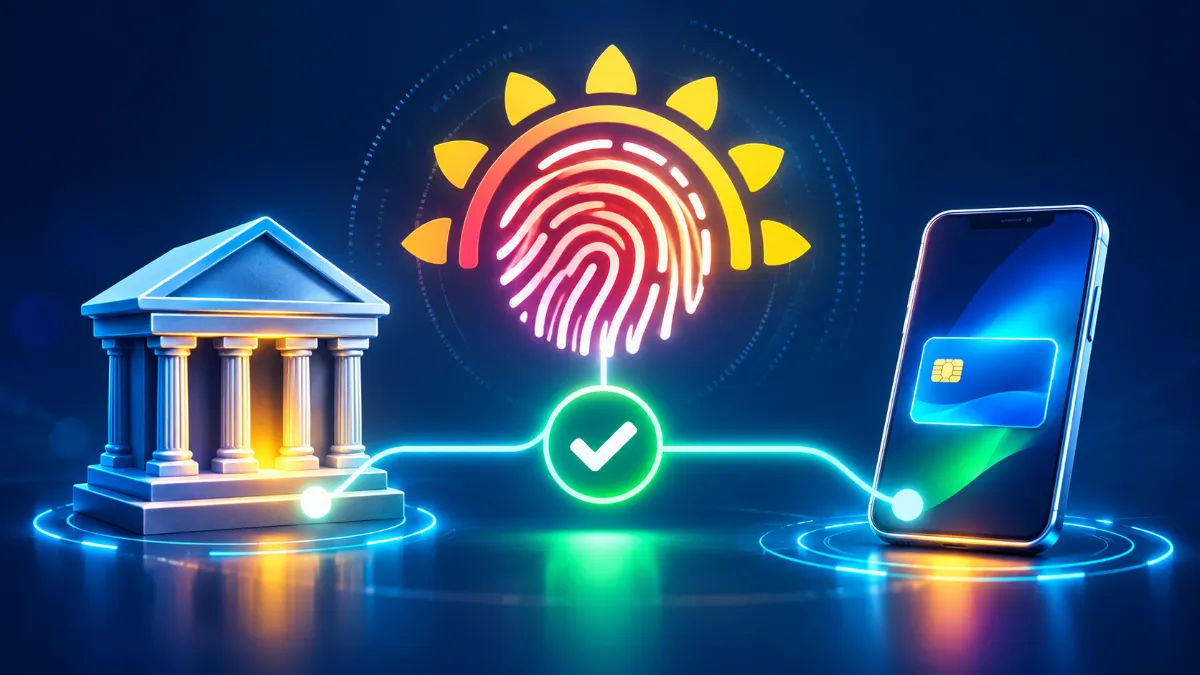
Aadhaar seeding is the process of linking your Aadhaar number with your bank account in the National Payments Corporation of India (NPCI) mapper. The NPCI mapper is a central database that tells the Aadhaar Payment Bridge System (APBS) which bank account should receive government payments for each Aadhaar number. When a department releases DBT money, it uses only your Aadhaar number; the NPCI mapper then routes the money to the mapped account.
Aadhaar Linking vs Aadhaar Seeding
Many people think that giving their Aadhaar copy to the bank for KYC is enough. It is not always the same thing:
| Point | Aadhaar linking (KYC) | Aadhaar seeding (NPCI mapping) |
|---|---|---|
| Purpose | Identity verification for the bank account | Receive DBT payments through APBS |
| Where stored | Bank’s internal records | NPCI mapper database |
| Number of accounts | Aadhaar can be linked to many accounts | Only one account is active for DBT at a time |
| Consent | KYC consent | Specific consent for DBT seeding |
So, your Aadhaar can be linked to five bank accounts, but only one of them will receive DBT money. That account is shown in your Aadhaar seeding status.
Why Aadhaar Seeding Status Matters
- PM Kisan installments are paid only to Aadhaar-seeded accounts.
- LPG subsidy under PAHAL (DBTL) is credited through Aadhaar seeding.
- Scholarships on the National Scholarship Portal and state portals now require Aadhaar-seeded accounts.
- Social security pensions, MGNREGA wages and many state welfare payments use APBS.
- Failed payments often show the reason “Aadhaar not seeded” or “Inactive Aadhaar mapping”.
Farmers can read our guide on PM Kisan status check to see where Aadhaar bank seeding appears in the beneficiary status.
How to Check Aadhaar Seeding Status on the UIDAI Portal
The easiest and most reliable method is the official myAadhaar portal:
- Visit myaadhaar.uidai.gov.in.
- Click Login and enter your Aadhaar number and captcha.
- Click Send OTP and enter the OTP received on your Aadhaar-registered mobile number.
- After login, select Bank Seeding Status from the services.
- Your Aadhaar seeding status appears, showing the bank name, seeding status (active or inactive) and the date of last update.
Note that the portal shows the bank name, not the full account number. If you have multiple accounts in the same bank, ask the bank which account is seeded.
How to Check Aadhaar Seeding Status Through NPCI
NPCI also provides a consumer service on its website to check Aadhaar mapping and seed or de-seed accounts at participating banks through the Bharat Aadhaar Seeding Enabler (BASE):
- Go to the official NPCI website and open the Consumer section.
- Select Aadhaar Seeding Enabler (BASE) or Aadhaar Mapped Status.
- Enter your Aadhaar number and captcha, then verify with OTP.
- The current mapped bank and status will be displayed.
- If supported by your bank, you can also request seeding or a change of DBT bank online.
Check Aadhaar Seeding Status via USSD (*99*99#)
If you don’t have internet, you can use the NPCI USSD service on any mobile phone:
- Dial *99*99*1# from your mobile.
- Enter your 12-digit Aadhaar number when prompted.
- Re-enter to confirm.
- Your Aadhaar seeding status with the mapped bank name is displayed on the screen.
This method works on basic phones too, which is helpful in rural areas.
How to Seed Aadhaar With Your Bank Account
Method 1: At the Bank Branch
- Visit your branch with the original Aadhaar and passbook.
- Ask for the Aadhaar seeding / NPCI mapping consent form for DBT.
- Fill in your account number, Aadhaar number and tick the consent for receiving DBT.
- Submit the form with a self-attested Aadhaar copy.
- The bank updates the NPCI mapper, usually within a few working days.
Method 2: Net Banking or Mobile Banking
Many banks offer an “Aadhaar seeding” or “Link Aadhaar for DBT” option in their apps. Log in, find the option under services or profile, enter Aadhaar, verify OTP and submit. Make sure the option specifically mentions DBT or NPCI mapping.
Method 3: Through the NPCI BASE Facility
Customers of participating banks can request seeding online through NPCI’s consumer portal using Aadhaar OTP. The request goes to the bank for confirmation.
Method 4: India Post Payments Bank
Opening an India Post Payments Bank (IPPB) account at your doorstep through the postman is a popular way to get an Aadhaar-seeded account quickly. Many beneficiaries choose IPPB for DBT because the account opening is Aadhaar-based.
How to Change the DBT Bank Account
If benefits are going to an old account that you no longer use, simply seed Aadhaar with the new account through the new bank. The NPCI mapper is updated, and the latest seeded account becomes active for DBT. The older mapping is overwritten automatically. After a few days, check your Aadhaar seeding status again to confirm the new bank name.
Common Aadhaar Seeding Problems and Solutions
| Problem | Reason | Solution |
|---|---|---|
| Status shows “Inactive” | Mapping disabled or account dormant | Visit bank, reactivate account, re-submit seeding form |
| No bank shown | Aadhaar never seeded for DBT | Submit NPCI mapping consent at bank |
| Wrong bank shown | Another account seeded later | Seed preferred account again |
| OTP not received | Mobile not linked to Aadhaar | Update mobile at Aadhaar centre |
| DBT failed despite seeding | Name mismatch, account frozen, KYC expired | Update KYC and correct name at bank |
If your Aadhaar mobile number is outdated, follow our guide to update mobile number in Aadhaar before trying online checks.
Understanding the Aadhaar Payment Bridge System (APBS)
APBS is the payment system that powers most government transfers in India. When a department such as agriculture, food and civil supplies, social justice or education releases money, it sends a file containing beneficiary Aadhaar numbers and amounts to its sponsor bank. The sponsor bank checks the NPCI mapper for each Aadhaar number to find the destination bank, and the money is transferred through NPCI to that bank, which then credits the customer’s account. If your Aadhaar seeding status is inactive or blank, the transaction cannot find a destination and is returned as failed. That is why seeding is the backbone of DBT.
Which Government Schemes Use Aadhaar Seeding?
- PM-KISAN farmer income support
- PAHAL LPG subsidy and PM Ujjwala Yojana
- National Scholarship Portal and many state scholarship schemes
- National Social Assistance Programme pensions for elderly, widows and disabled persons
- MGNREGA wage payments
- Kerala welfare pensions and other state welfare benefits
- Maternity benefits under PM Matru Vandana Yojana
- Fertiliser and crop insurance-related benefits in some states
Since so many schemes depend on it, checking your Aadhaar seeding status once a year, or whenever you change banks, is a good habit for every family.
Aadhaar Seeding Status for Students
Students applying for scholarships often face payment failures because their accounts are not seeded. Before applying, the student (or parent, for minors) should open an account in the student’s name, link Aadhaar for KYC, and specifically request NPCI mapping for DBT. Then check the Aadhaar seeding status on myAadhaar. Scholarship portals often display messages like “Payment failed – Aadhaar not seeded”, which can be avoided with this simple step before the disbursement period.
Aadhaar Seeding Status for Pensioners
Elderly people receiving social security pensions should make sure their pension account is the one shown in the Aadhaar seeding status. If they opened a new account closer to home, they must seed it, otherwise the pension may continue to go to the old account or fail if that account becomes dormant. Family members can help by checking the status with the pensioner’s consent and OTP.
What Happens When You Close a Seeded Account?
If you close the account that is mapped for DBT without seeding another, your Aadhaar seeding status may become inactive, and future payments will fail. Before closing any bank account, first seed Aadhaar with another active account and confirm the change. Only then close the old account. This avoids a gap during which benefits could bounce back.
Dormant and Inoperative Accounts
Accounts without any customer-initiated transaction for two years become inoperative under RBI rules. Even if the Aadhaar seeding status shows the bank as active, credits may face issues if the account is frozen. To reactivate, visit the branch with KYC documents and make a small transaction. Keeping at least one transaction every few months is enough to keep the account active.
How Banks Process Seeding Requests
When you submit the consent form, the bank uploads your details to the NPCI mapper. NPCI checks the Aadhaar number and updates the mapping with the bank’s Institution Identification Number (IIN). The process usually takes between one and seven working days, depending on the bank. Some banks send an SMS confirmation once the mapping is successful. If you don’t receive any message within a week, check your Aadhaar seeding status online and follow up with the bank if it has not changed.
Is It Safe to Share Aadhaar for Seeding?
Aadhaar seeding is safe when you do it through your own bank, the official myAadhaar portal or NPCI. Never share your Aadhaar OTP with unknown callers who claim they will “activate subsidy” or “update DBT”. Banks and government departments do not call customers asking for OTPs. You can also use the masked Aadhaar (showing only the last four digits) for general identity purposes, and lock your Aadhaar biometrics when not needed. Our guide on locking and unlocking Aadhaar biometrics explains how.
Aadhaar Seeding Status vs Bank Account Validation on Other Portals
Some portals, like the income tax e-filing website, use their own bank account validation instead of the NPCI mapper. So, even if your Aadhaar seeding status shows one bank, your income tax refund may go to a different validated account. Similarly, EPFO uses the bank account seeded in your UAN KYC. Understand which system each service uses to avoid confusion.
Step-by-Step Checklist
- Check Aadhaar seeding status on myAadhaar or via *99*99*1#.
- Note the bank name and status (active or inactive).
- If wrong or inactive, visit the preferred bank and submit the NPCI mapping form.
- Keep the acknowledgement from the bank.
- Recheck Aadhaar seeding status after a week.
- Inform the scheme office if payments were pending, so they can be reprocessed.
Kerala Residents: Where to Get Help
In Kerala, Akshaya Centres can help you log in to myAadhaar, check the Aadhaar seeding status, update your mobile number in Aadhaar and download e-Aadhaar. For seeding itself, you must approach your bank branch, a Business Correspondent or India Post Payments Bank. Krishi Bhavans and village offices can tell you whether pending welfare or farmer payments failed due to seeding issues.
Real-Life Example
Meera, a college student in Palakkad, was selected for a state scholarship but did not receive the money for months. The portal showed “Payment failed”. When she checked her status on myAadhaar, it showed a bank where her father had opened a joint account years ago, which had since become dormant. She visited the branch of her own savings account, submitted the NPCI mapping consent form, and checked again after five days. The new bank name appeared as active. She then informed the scholarship nodal officer, who reprocessed the payment, and the amount reached her account in the next cycle.
Tips to Avoid DBT Payment Failures
- Use one primary savings account for all government benefits.
- Keep the account active with regular transactions.
- Make sure the name in the bank matches the name in Aadhaar exactly.
- Update KYC whenever the bank asks for re-KYC.
- Keep the Aadhaar-linked mobile number active for OTPs.
- Recheck mapping after opening or closing any bank account.
- Save the acknowledgement of every seeding request.
Can Someone Else Change My DBT Account?
A change of DBT mapping requires your consent and usually your Aadhaar OTP or signature at the bank. However, frauds have occurred where agents misused Aadhaar details. If you notice a bank name you don’t recognise, contact that bank immediately, file a complaint with UIDAI (helpline 1947) and your own bank, and re-seed your correct account. Checking the status regularly helps you catch such issues early.
Helplines
For Aadhaar-related queries, call the UIDAI helpline 1947 or email help@uidai.gov.in. For seeding requests and bank-specific issues, contact your bank’s customer care or branch. For scheme-specific payment status, use the helpline of the respective scheme, such as 155261 for PM-KISAN.
Aadhaar Seeding Status Shown in Different Portals
Several scheme portals show their own version of your Aadhaar seeding status. The PM-KISAN beneficiary status page has an “Aadhaar Bank Account Seeding Status” field. The National Scholarship Portal shows payment status with failure reasons. The LPG portal mylpg.in and your distributor’s records show whether the subsidy account is Aadhaar-linked. If any of these portals show a problem, cross-check on myAadhaar to see what the NPCI mapper actually says, because the central record is what finally decides where the money goes.
Keep in mind that some portals refresh their data only periodically. If you fixed the seeding at the bank, the scheme portal may continue to show the old Aadhaar seeding status for a few days or weeks. Wait for the next update cycle before raising a complaint.
Frequently Asked Questions on Aadhaar Seeding Status
How can I check Aadhaar seeding status with my mobile number?
Log in to myAadhaar with Aadhaar and OTP sent to your registered mobile, or dial *99*99*1# from any phone and enter your Aadhaar number.
Can I seed Aadhaar with two bank accounts for DBT?
No. Only one account can be active for DBT at a time. The latest seeded account receives payments.
How long does Aadhaar seeding take?
Usually a few working days after the bank submits the request to NPCI.
Is Aadhaar seeding mandatory for scholarships?
Many central and state scholarship schemes now pay only to Aadhaar-seeded accounts, so it is strongly recommended.
Conclusion
Checking your Aadhaar seeding status takes two minutes and can solve most problems with government payments. Use the myAadhaar portal, NPCI service or *99*99*1# to see which bank is mapped, and seed your preferred active account at the bank if needed. Share this guide with family members who receive pensions, scholarships, subsidies or farmer benefits.
A two-minute check today can prevent months of missed payments tomorrow. Make it a habit, and help elderly relatives and neighbours who may not know how to check it themselves. Together, we can make sure every eligible family receives its benefits on time.