by
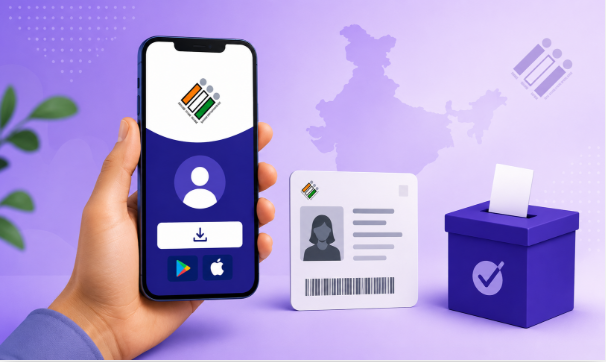
by The Election Commission has made voter registration easier than ever by introducing the ECINET (Election Commission Integrated Network) mobile application. Instead of visiting election offices or filling out paper forms, eligible citizens can now complete the entire voter registration process directly from their smartphones. If you have recently turned 18 years old or your name is not yet included in the electoral roll, the ECINET app allows you to apply online in just a few simple steps. Through the app, users can fill out Form 6, upload supporting documents, submit the application, and track its progress without leaving home. This digital initiative aims to improve accessibility, transparency, and convenience while encouraging more citizens to participate in India’s democratic process.
The ECINET app is designed with a simple interface that makes voter-related services accessible to everyone, including first-time applicants. Whether you live in a city or a rural area, the application helps eliminate paperwork and reduces the need to visit government offices. Every submitted application receives a unique reference number that allows applicants to track the verification process. This streamlined system not only saves valuable time but also ensures that voter registration is completed efficiently. By embracing digital services, the Election Commission continues to modernize election management and make civic participation more convenient for every eligible voter.
Why You Should Register as a Voter
Registering your name in the electoral roll is the first step toward exercising your democratic right to vote. Every Indian citizen who has attained the age of 18 years is eligible to apply for voter registration. If your name is not listed in the electoral roll, you cannot cast your vote during elections. Timely registration also helps avoid last-minute issues when election dates are announced. The ECINET app provides a hassle-free solution by enabling citizens to submit their applications online, ensuring that more people can participate in free and fair elections. Digital voter registration is especially beneficial for students, working professionals, and people who cannot easily visit election offices.
Step-by-Step Guide to Register Through the ECINET App
Step 1 – Download and Install the ECINET App
Begin by downloading the ECINET application from your smartphone’s app store. After installation, register using your mobile number and complete the verification process. Once logged in, you will find various election-related services available on the home screen, including voter registration, electoral search, application tracking, and more. The application has been designed to provide a user-friendly experience, making it easy for anyone to navigate.
Step 2 – Select Form 6
From the home page, select Voter Registration and choose Form 6, which is the official application used for registering a new voter in the electoral roll. Before filling out the form, carefully read the instructions displayed on the screen. Choosing the correct form is essential because different forms are available for corrections, address changes, and other voter-related services.
Step 3 – Enter Personal Details and Upload Documents
Complete the application by entering accurate personal information, including your name, date of birth, address, district, and assembly constituency. Upload the required supporting documents, such as proof of age and proof of residence. Ensure that all uploaded files are clear, valid, and easy to read. Incorrect information or poor-quality documents may delay the verification process or result in rejection of your application.
Step 4 – Submit Your Application
After reviewing all the details, click the Submit button to complete your voter registration request. Once the application is successfully submitted, the ECINET app generates a unique Application Reference Number. Save this number carefully because it allows you to monitor the progress of your application. Election officials will verify your details and supporting documents before adding your name to the electoral roll.
Documents Required for ECINET Voter Registration
To complete your application successfully, keep the following documents ready before starting the registration process:
- Proof of Age
- Proof of Address
- Identity Document (if applicable)
- Passport-size Photograph (if required)
Uploading high-quality scanned copies or clear photographs helps speed up the verification process and minimizes the chances of rejection.
Benefits of Using the ECINET App
The ECINET app provides multiple election-related services through a single digital platform. Apart from new voter registration, users can search their names in the electoral roll, submit correction requests, update address details, track applications, and access various election services. The app eliminates unnecessary paperwork, reduces processing time, and improves transparency by allowing applicants to check the status of their requests at any time. It is a convenient solution for citizens who prefer completing government services digitally.
Tips for Successful Registration
Before submitting your application, double-check all the information entered in Form 6. Make sure your name, date of birth, and address exactly match the supporting documents you upload. Keep your registered mobile number active so that you receive updates regarding verification. Save your Application Reference Number safely, as it is required to track your application status. Following these simple precautions can help ensure faster approval and reduce the possibility of delays.
Frequently Asked Questions (FAQ)
Can I register as a new voter using the ECINET app?
Yes. Eligible Indian citizens can register online by submitting Form 6 through the ECINET application.
What is Form 6?
Form 6 is the official application form used to add a new voter’s name to the electoral roll.
Who can apply through ECINET?
Any Indian citizen aged 18 years or above who meets the Election Commission’s eligibility criteria can apply.
Can I track my application?
Yes. After submission, you can track your application using the Application Reference Number generated by the ECINET app.
Do I need to visit the election office?
In most cases, no. The registration process can be completed online, although election officials may contact you if additional verification is required.
Conclusion
The ECINET App has transformed the voter registration process by making it faster, simpler, and completely digital. Whether you are registering for the first time or ensuring your name is added to the electoral roll, the app provides a convenient and secure way to complete the process. By downloading the ECINET app, selecting Form 6, uploading the required documents, and submitting your application, you can become a registered voter without visiting any government office. If you are eligible to vote, don’t wait—complete your voter registration today and exercise your democratic right in the upcoming elections.
Read : How to Apply Voter ID Card Online in Kerala