by
Need to travel by train at short notice? Tatkal is the quickest way to get a confirmed berth when regular quotas are full. But Tatkal ticket booking is a race – seats on popular trains disappear within minutes of opening. Knowing the exact timings, the latest Aadhaar rules and a few smart preparation steps can make the difference between a confirmed ticket and a waitlist.
This guide explains Tatkal ticket booking timings, the Aadhaar authentication rule, charges, step-by-step booking on the IRCTC website and app, tips to book faster, cancellation and refund rules, Premium Tatkal, and common mistakes to avoid.

What Is Tatkal Ticket Booking?
Tatkal is a special quota of seats on most trains that opens one day before the date of journey (excluding the journey date). It is meant for passengers who need to travel urgently. Tatkal tickets cost more than regular tickets because a Tatkal charge is added to the base fare, but they give you a fair chance of a confirmed seat at the last minute.
Tatkal Ticket Booking Timings
| Class | Booking opens |
|---|---|
| AC classes (1A, 2A, 3A, 3E, CC, EC) | 10:00 am, one day before journey |
| Non-AC classes (SL, 2S) | 11:00 am, one day before journey |
The “one day before” is counted from the train’s departure date from its originating station. For example, for a train starting on 20 November, Tatkal ticket booking opens on 19 November at 10 am for AC and 11 am for sleeper.
Aadhaar Authentication Rule for Tatkal
To stop misuse by touts and bots, Indian Railways made important changes in 2025:
- Aadhaar-authenticated users only: Since 1 July 2025, only IRCTC users whose accounts are Aadhaar-authenticated can book Tatkal tickets online.
- Aadhaar OTP: From 15 July 2025, Aadhaar-based OTP authentication is required for Tatkal bookings, including at railway counters and through authorised agents.
- Agents restricted in the first 30 minutes: Authorised ticketing agents cannot book Tatkal tickets during the first 30 minutes of the AC and non-AC opening windows, giving individual passengers a fair chance.
So the first step in successful Tatkal ticket booking is to make sure your IRCTC account is linked and authenticated with Aadhaar well before the travel date.
How to Authenticate Your IRCTC Account with Aadhaar
- Log in to the IRCTC website or the IRCTC Rail Connect app.
- Go to My Account and choose Authenticate User (or Link Aadhaar).
- Enter your Aadhaar number or Virtual ID and verify your details.
- Enter the OTP sent to your Aadhaar-linked mobile number.
- Once verified, your profile shows the account as Aadhaar authenticated.
Make sure the mobile number linked with Aadhaar is active. If you need to update it, see our guide on Aadhaar seeding status check and visit an Aadhaar centre for changes.
Tatkal Ticket Booking Online: Step-by-Step
- Log in early: Log in to the IRCTC website or app about 5–10 minutes before opening time. Keep your Aadhaar-linked phone nearby for OTP.
- Search the train: Enter From, To and the journey date, and select the TATKAL quota.
- Select train and class: Choose your train and class and check availability exactly at opening time.
- Add passengers: Use the saved Master List to add passengers quickly with names, age, gender and berth preference.
- Review and verify: Check the details, enter the captcha and complete the Aadhaar OTP verification when prompted.
- Pay quickly: Pay using UPI, IRCTC eWallet, net banking or cards. UPI and the IRCTC wallet are usually the fastest options.
- Get your ticket: After successful payment, the ticket with PNR is shown and sent by SMS and email.
Documents and Details to Keep Ready
- IRCTC user ID and password (Aadhaar authenticated)
- Aadhaar-linked mobile phone for OTP
- Passenger details saved in the Master List – name, age, gender, berth preference
- A valid photo ID for each passenger to carry during the journey (Aadhaar, voter ID, passport, driving licence, PAN card, etc.)
- UPI app or IRCTC eWallet with sufficient balance
During the journey, at least one passenger booked on the Tatkal ticket must carry the original ID proof mentioned during booking. Ticket checkers may ask for it.
15 Tips to Make Tatkal Ticket Booking Faster
- Authenticate Aadhaar in advance: Do it days before, not at the last minute.
- Use the Master List: Save all passengers so you can add them with a click.
- Log in 5–10 minutes early: Avoid login delays at peak time, but don’t sit idle too long or the session may expire.
- Check train and class the day before: Note the exact train number, boarding station and class.
- Use a fast, stable internet connection: Wi-Fi broadband is often more stable than mobile data at peak times.
- Keep UPI ready: Use a UPI app you’re familiar with and make sure the bank server is working.
- Top up IRCTC eWallet: Wallet payments can be quicker than other methods.
- Use the IRCTC Rail Connect app: The app is often smoother than the mobile browser.
- Choose “Book only if confirmed berths are allotted”: This avoids paying for a waitlisted Tatkal ticket if seats run out.
- Select “Consider for auto upgradation” to increase chances where applicable.
- Keep berth preference flexible: Strict preferences can reduce your chances.
- Avoid multiple tabs or devices on the same account: This can cause session conflicts.
- Type captcha carefully: A wrong captcha costs precious seconds.
- Keep your Aadhaar phone unlocked and nearby to enter the OTP instantly.
- Have a backup plan: Check Premium Tatkal, other trains or nearby stations if Tatkal fills up.
Tatkal Ticket Booking at Railway Counters
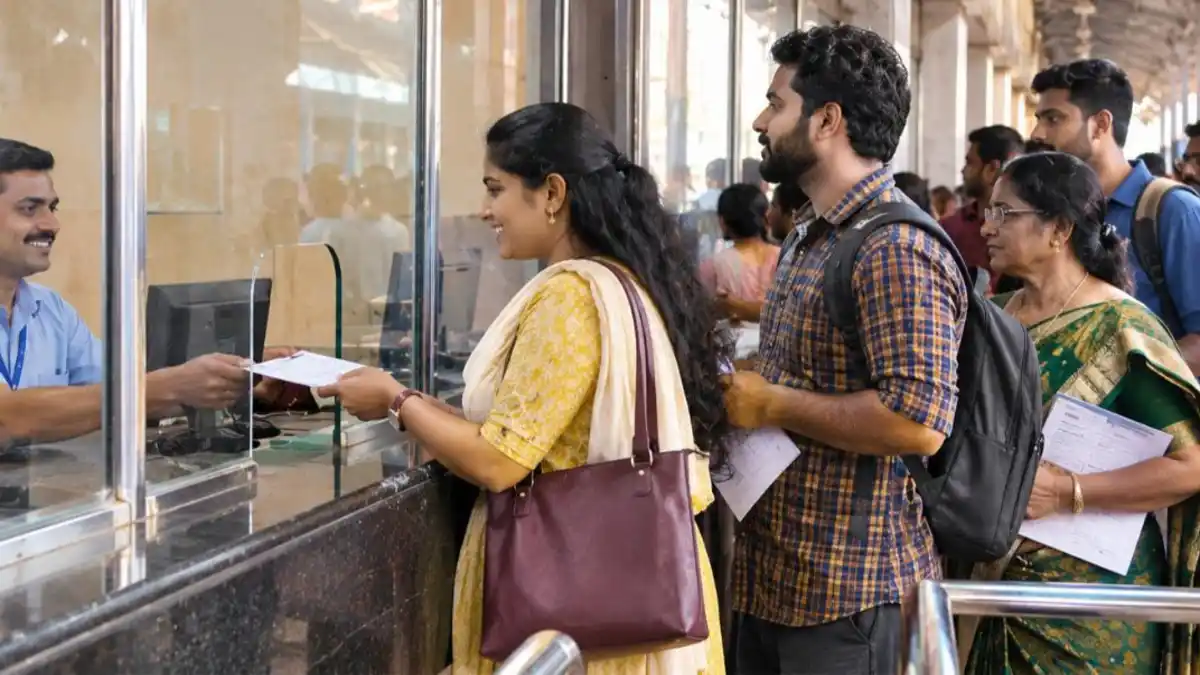
You can also book Tatkal tickets at railway reservation counters (PRS) at the same opening times. Fill the reservation form with passenger details, and carry an ID proof. With the Aadhaar OTP rule, you need to provide your Aadhaar-linked mobile to receive the OTP at the counter. Queues for Tatkal can start early in the morning at busy stations, so reach well in advance.
Common Mistakes in Tatkal Ticket Booking
| Mistake | Result | How to avoid |
|---|---|---|
| Aadhaar not authenticated | Cannot book Tatkal online | Authenticate days in advance |
| Wrong journey date | Booking opens a day earlier than expected | Count from train’s originating date |
| Typing passenger details manually | Lost time, seats gone | Use Master List |
| Slow payment method | Payment fails or times out | Use UPI or IRCTC wallet |
| Using unauthorised software | Account may be blocked; illegal | Book only through official IRCTC channels |
| Phone with Aadhaar OTP not nearby | OTP timeout | Keep phone ready and unlocked |
What If Payment Is Deducted but Ticket Not Booked?
Sometimes money is deducted but no ticket is generated because of a network or bank issue. Don’t panic and don’t keep retrying with the same payment method immediately. Check My Transactions > Failed Transactions in your IRCTC account. In most cases, the amount is automatically refunded to the source account within a few working days. If not, raise a complaint through IRCTC customer care with the transaction ID.
Tatkal Charges
Tatkal charges are calculated as a percentage of the base fare, with minimum and maximum limits that differ by class:
- For second sitting (2S), the Tatkal charge is around 10% of the base fare.
- For all other classes, it is around 30% of the base fare.
- Each class has a fixed minimum and maximum Tatkal charge.
The exact amount is shown on the booking page before payment. Check the fare summary carefully before you pay.
Understanding the Tatkal Ticket Booking Process Behind the Scenes
When Tatkal ticket booking opens, lakhs of users across India try to book at the same moment. The IRCTC system processes requests in the order they reach the server, which is why every second matters. Pages may load slowly in the first minute because of the huge traffic. Instead of refreshing repeatedly, wait for the page to respond, because refreshing can send you back to the start. The Aadhaar OTP step and captcha are designed to block automated bots, giving genuine passengers a fairer chance. Once your payment succeeds, the seat is allotted, and your ticket shows the coach and berth if confirmed.
Understanding this helps you stay calm: prepare everything in advance, act quickly but carefully, and let the system finish each step. A calm, well-prepared user often beats someone who is clicking frantically.
Safety Tips: Avoid Tatkal Ticket Booking Frauds
Fraudsters often target people desperate for Tatkal tickets. They post on social media offering “guaranteed confirmed Tatkal” for extra money, or share fake IRCTC links. Protect yourself by booking only on the official IRCTC website, the IRCTC Rail Connect app, railway counters or authorised agents. Never share your IRCTC password or Aadhaar OTP with anyone. Unauthorised booking software and touts violate railway rules, and tickets booked through them can be cancelled. If you are cheated, report it to railway authorities and the cyber crime helpline 1930.
Tatkal vs Regular Advance Booking
Regular reservation opens much earlier than Tatkal, allowing you to book well in advance at normal fares. Tatkal is best used only when your travel plan is sudden. If you know your travel dates early, always try regular booking first – it is cheaper, and you have more time to get a confirmed seat. Use Tatkal ticket booking as your backup for urgent and unplanned trips.
Tatkal Cancellation and Refund Rules
- Confirmed Tatkal tickets: Generally no refund is given on cancellation of confirmed Tatkal tickets.
- Waitlisted Tatkal tickets: Refund is given as per rules after deducting clerkage charges if the ticket remains waitlisted or is cancelled before chart preparation.
- Special cases: Full refund may be possible if the train is cancelled, delayed by more than the specified hours, diverted, or if the passenger could not travel because of reasons such as the train running on a diverted route not covering the boarding or destination station. File a TDR (Ticket Deposit Receipt) online where applicable.
Tatkal Ticket Booking Quota and Who Can Use It
The Tatkal quota is a fixed share of seats in each class that the railways set aside for urgent travellers. Any passenger can use it, but there are a few rules to remember. Concessions such as senior citizen discounts are not available on Tatkal tickets. The number of passengers per PNR is limited, and the identity proof of one passenger is noted during booking. Tatkal is available on most Mail, Express and Superfast trains, but some special trains may follow different rules. Checking the availability for your train a day earlier helps you judge how competitive your Tatkal ticket booking will be.
Best Strategy for Popular Routes
On busy routes – such as trains from Kerala to Bengaluru, Chennai or Mumbai during festivals and weekends – Tatkal seats can be gone within the first couple of minutes. A smart strategy improves your chances:
- Target the right class: If AC classes are very competitive, try sleeper class at 11 am as a backup.
- Book from a less crowded boarding station: Sometimes boarding from a nearby major station shows better availability.
- Divide tasks in a group: If several family members are trying, use different accounts for different trains rather than the same train.
- Watch for Premium Tatkal: On select trains, Premium Tatkal may still have seats when normal Tatkal is full, though at a higher fare.
- Consider alternatives: KSRTC or private buses, flights on sale, or the next day’s train may be more practical when demand is extreme.
IRCTC App vs Website for Tatkal Ticket Booking
| Feature | IRCTC Rail Connect app | IRCTC website |
|---|---|---|
| Speed | Usually faster on mobile | Good on a desktop with broadband |
| Saved passengers | Master List supported | Master List supported |
| Payment | UPI apps open directly | All payment options |
| Best for | Quick bookings on the go | Users comfortable with a laptop |
Many regular travellers keep both ready: the app on the phone and the website on a laptop, using the one that loads faster at opening time – but with only one active booking attempt per account to avoid session conflicts.
For official rules and updates, visit the IRCTC website and Indian Railways.
Premium Tatkal vs Tatkal
| Point | Tatkal | Premium Tatkal |
|---|---|---|
| Fare | Base fare + fixed Tatkal charge | Dynamic fare that rises with demand |
| Availability | Most trains | Selected trains only |
| Booking | Online and counters | Mainly online |
| Best for | Budget-conscious urgent travellers | When Tatkal is full and you must travel |
Tatkal Ticket Booking Checklist for the Night Before
- Confirm the train number, boarding station, destination and class.
- Calculate the correct Tatkal opening date from the train’s originating date.
- Check that your IRCTC account is Aadhaar authenticated and you remember the password.
- Update the Master List with all passenger names exactly as on their ID cards.
- Recharge your IRCTC eWallet or make sure your UPI app is working.
- Charge your phone and laptop, and check your internet connection.
- Set an alarm 15 minutes before the opening time.
Preparing the night before turns Tatkal ticket booking from a stressful scramble into a quick, routine process. Most failed attempts happen because of small delays – a forgotten password, a missing passenger detail or a slow payment – all of which this checklist helps you avoid.
With the right preparation, Tatkal ticket booking becomes far less stressful. Treat it like a quick checklist: Aadhaar-authenticated account, saved passengers, early login, fast payment and the OTP phone in hand. Follow these steps every time and you will be ready the moment the window opens.
Frequently Asked Questions (FAQ)
What time does Tatkal ticket booking open?
AC classes open at 10 am and non-AC classes at 11 am, one day before the journey date.
Is Aadhaar mandatory for Tatkal ticket booking?
Yes. Only Aadhaar-authenticated users can book Tatkal tickets online, and Aadhaar OTP verification is required.
Can I get a refund on a confirmed Tatkal ticket?
Generally no, except in special situations like train cancellation, as per railway rules.
How many passengers can be booked on one Tatkal ticket?
A limited number of passengers (usually up to four) can be booked per PNR under Tatkal. Check the current limit on IRCTC while booking.
Can agents book Tatkal tickets?
Authorised agents are not allowed to book Tatkal tickets in the first 30 minutes after opening. After that, they can book with Aadhaar OTP verification.
Are senior citizen concessions available in Tatkal?
No. Concessions are not applicable on Tatkal tickets.
What happens to a waitlisted Tatkal ticket?
If an e-ticket remains fully waitlisted after chart preparation, it is cancelled automatically and the refund is credited as per rules.
Does Tatkal ticket booking work on all trains?
Tatkal is available on most trains, but not all. Some special or premium trains may have different booking rules. Check the quota options when you search for your train.
Can I change the boarding station after Tatkal ticket booking?
Boarding point change is allowed for e-tickets within the time limit set by IRCTC before departure, subject to rules. Once changed, you cannot board from the original station.
Why does the IRCTC site become slow at 10 am?
Huge numbers of users log in at the same time for Tatkal ticket booking. Be patient, avoid repeated refreshing and keep your details ready to complete each step quickly.
Conclusion
Successful Tatkal ticket booking needs preparation and speed. Authenticate your IRCTC account with Aadhaar, save passengers in the Master List, log in early, keep UPI ready and complete the OTP quickly. With these steps, your chances of getting a confirmed Tatkal ticket improve significantly.