Applying for a new ration card in Kerala is now simple through online services. People can apply from home without visiting many offices.
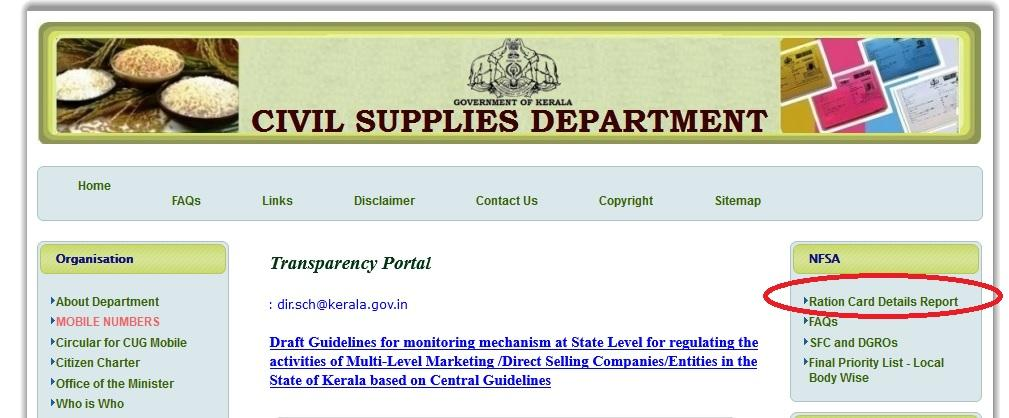
The service is managed by the Civil Supplies Department Kerala through the e-Citizen Kerala Civil Supplies portal.
Official website: Kerala Civil Supplies Official Website
What is a Ration Card?
A ration card is an important government document used for:
- Buying subsidized food items
- Identity proof
- Address proof
- Accessing government welfare schemes
- Getting LPG and other benefits
Types of Ration Cards in Kerala
Kerala mainly provides these ration cards:
- Yellow Card – Priority category families
- Pink Card – Non-priority category
- Blue Card – Subsidy-related category
- White Card – General category
The category depends on family income and eligibility.
Who Can Apply?
You can apply for a new ration card if:
- You are a resident of Kerala
- You do not already own another ration card
- You started a new family after marriage
- You shifted from another state
- Your old ration card was cancelled or surrendered
Documents Required
Keep these documents ready before applying:
- Aadhaar Card of all family members
- Address proof
- Electricity bill
- Passport-size photo
- Mobile number
- Income certificate (if required)
- Rental agreement (for rented houses)
Make sure all documents are clear and updated.
Download Ration card Mobile App
Step-by-Step Guide to Apply for New Ration Card Online in Kerala
Step 1: Open the Official Website
🍚 Visit Kerala Civil Supplies Portal
Visit the Kerala Civil Supplies Department website.
Go to the e-Citizen services section for ration card applications.
Step 2: Create an Account
If you are a new user:
- Click on “Register”
- Enter your:
- Name
- Mobile number
- Email ID (optional)
- Aadhaar number
- Username and password
After registration, login using your username and password.
Step 3: Select “New Ration Card Application”
After login:
- Open the services dashboard
- Choose:
- Ration Card Services
- Then click “New Ration Card Application”
Read the instructions carefully before continuing.
Step 4: Enter Applicant Details
Fill in the head of family details:
- Full name
- Gender
- Date of birth
- Aadhaar number
- Mobile number
- Occupation
- Annual income
Make sure all details match Aadhaar records.
Step 5: Add Address Information
Enter your complete address:
- House name/number
- Ward number
- Panchayat/Municipality/Corporation
- Taluk
- District
- PIN code
If staying in a rented house, provide rental details if required.
Step 6: Add Family Member Details
Now enter all family members included in the ration card.
For each member provide:
- Name
- Age
- Relationship with applicant
- Aadhaar number
- Occupation
Double-check spelling carefully.
Step 7: Choose Ration Card Category
Select the suitable category:
- Yellow Card
- Pink Card
- Blue Card
- White Card
The final category may change after government verification.
Step 8: Upload Required Documents
Upload scanned copies or clear photos of:
- Aadhaar Cards
- Address proof
- Electricity bill
- Passport-size photo
- Income certificate (if needed)
- Rental agreement (for rented house)
Important:
- Use clear images
- Avoid blurred documents
- Upload correct file size
Step 9: Pay Application Fee
Proceed to online payment.
Payment options usually include:
- UPI
- Debit card
- Net banking
Save payment receipt after successful transaction.
Step 10: Submit the Application
After checking all details:
- Click “Submit”
- Application will be sent to the Civil Supplies Department Kerala
You will receive:
- Application number
- Acknowledgment receipt
Save or print it for future use.
Verification Process
After submission:
- Officials verify documents
- Existing ration card records are checked
- Home/address inspection may happen in some cases
If approved, the ration card will be issued.
How to Track Application Status
Applicants can track status online.
Steps:
- Open Civil Supplies portal
- Click “Application Status”
- Enter reference/application number
- View current status
Possible status messages:
- Submitted
- Under Verification
- Approved
- Rejected
How to Download Digital Ration Card
After approval:
- Login to the portal
- Open ration card services
- Click “Download Ration Card”
- Save PDF copy to mobile or computer
Offline Application Option
People who cannot apply online can visit:
- Akshaya Centers
- Common Service Centers
- Taluk Supply Office
Staff will help complete the process.
Common Mistakes to Avoid
- Wrong Aadhaar number
- Spelling mistakes in names
- Incorrect mobile number
- Uploading unclear documents
- Choosing wrong ration card category
These mistakes may delay approval.
Final Thoughts
The online ration card application system in Kerala has made the process faster and easier for common people. By keeping documents ready and following the correct steps, families can apply smoothly without unnecessary delays.
🍚 Visit Kerala Civil Supplies Portal
KSRTC Swift App Bus Booking Guide 2026 – Step-by-Step Online Ticket Booking Process
All OTT, Movie & Web Series Updates in One Digital Hub