One and Same Certificate Kerala is used to prove that two or more different names appearing in documents belong to the same person. Kerala e-District lists it as a Revenue Certificate and provides online application through its certificate services, while Akshaya Centres also offer the service.
What Is a One and Same Certificate?
A One and Same Certificate is an official certificate used when a person’s name appears differently in two or more documents, but all those names actually belong to the same individual. For example, your name may appear as “Muhammed Shafi” in one document and “Mohammed Shafi” in another. In such situations, the certificate can be used to establish that both names refer to the same person. The Kerala Akshaya portal specifically describes this service as a declaration that two or more names pertain to the same person.
The One and Same Certificate Kerala can be useful when different spellings, initials, name formats or other variations create problems during document verification. It is important to understand that this certificate is generally used to establish an existing identity across documents; it is not the same as legally changing your name. If you are intentionally changing your name, a different legal process may apply.
When Do You Need a One and Same Certificate Kerala?
A One and Same Certificate Kerala may be required when the name shown on important documents is not exactly the same. This can happen because of spelling differences, initials, expanded names or different ways of arranging a person’s name. The Kerala Public Service Commission also provides a One and Same Certificate format, showing that such a document can be relevant during official verification.
It may become useful when submitting documents for government recruitment, education, banking, property-related matters, insurance, passport or other official purposes where different documents need to be linked to the same person. The exact requirement depends on the authority asking for the certificate, so check whether they specifically require a One and Same Certificate before applying.
Documents Required for One and Same Certificate
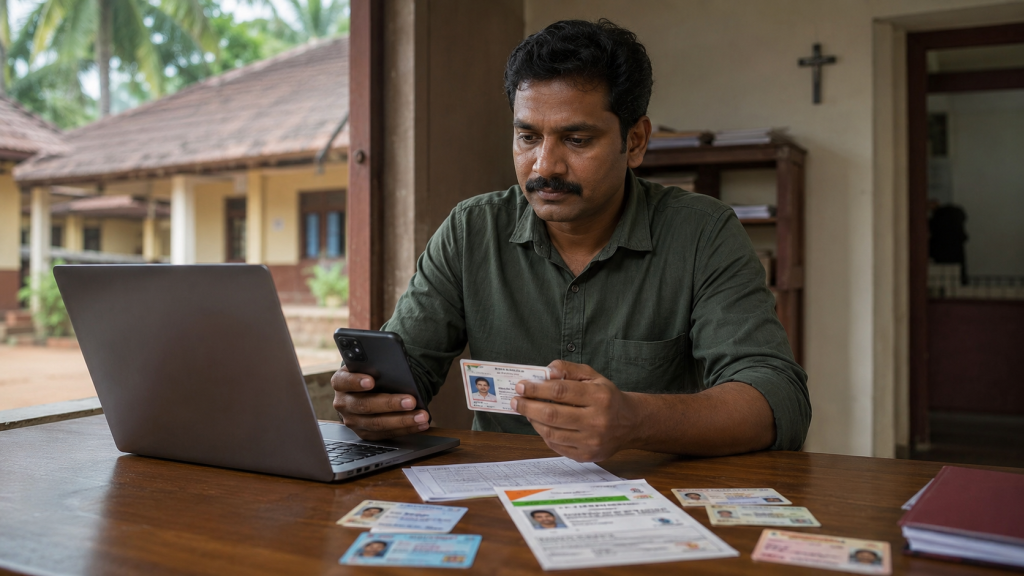
Before applying for a One and Same Certificate, keep documents that clearly establish your identity and show the different versions of your name. Kerala e-District lists Aadhaar Card, affidavit, any relevant document indicating the name, Election ID Card, Ration Card and School Certificate among the supporting documents for this certificate.
The exact documents required can depend on the circumstances of the name mismatch and the authority processing your application. Therefore, keep both the document containing the first version of your name and the document containing the second version ready. If additional proof or an affidavit is requested during verification, provide it through the prescribed process rather than assuming that the initial document list applies to every case.
How to Apply for One and Same Certificate Online in Kerala
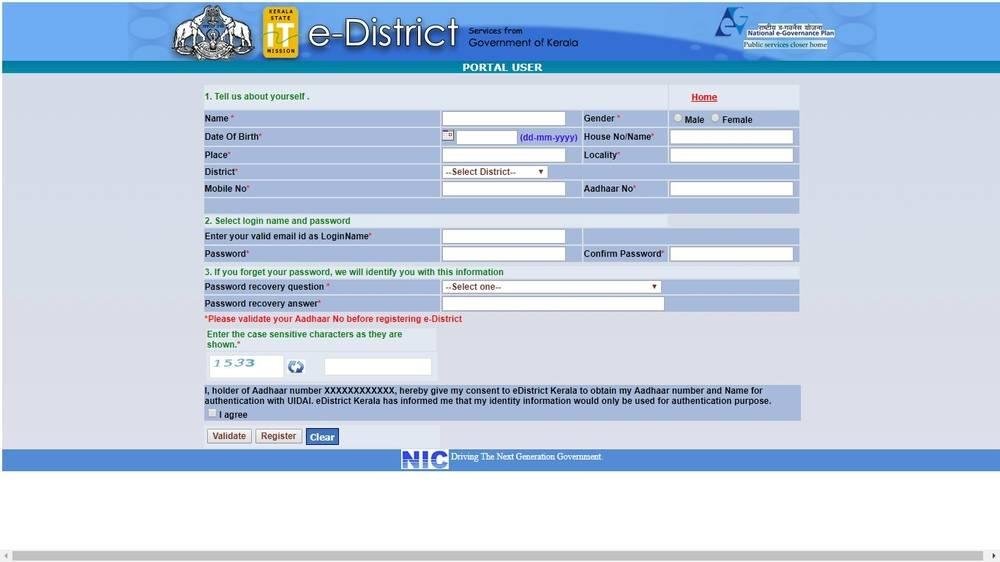
Kerala’s e-District system provides online access to Revenue Certificate services. If you already have an e-District account, you can use the certificate application section to apply for available services. The official e-District FAQ explains that citizens need to complete One Time Registration before applying for a certificate, after which they receive a registration number and can proceed through the certificate application menu.
Step 1: Open Kerala e-District
🔎 Apply for One and Same Certificate
You can apply online through the official e-District Kerala Portal managed under the Kerala Revenue Department. (eDistrict Kerala) . Visit the official Kerala e-District portal and use the citizen services section. If you are a new user, complete the required registration and verification process before applying for the certificate.
Step 2: Complete One Time Registration
If you have not previously registered, complete One Time Registration with the required personal details. The e-District system uses this registration to create your applicant profile and provides a registration number that can be used when applying for certificates.
Step 3: Select One and Same Certificate
After logging in, go to the certificate application section and look for One and the Same Certificate under the available Revenue Certificate services. Select the service and carefully read the information requested before starting the application.
Step 4: Enter Name and Application Details
Enter your personal information and clearly provide the different versions of your name as they appear in your documents. Make sure the spelling is accurate and matches the supporting documents. Explain the reason for requiring the certificate if the application form asks for it.
Step 5: Upload Supporting Documents
Upload the required documents, including identity proof and documents showing the name variation. Kerala e-District lists Aadhaar, affidavit, relevant name documents, Election ID, Ration Card and School Certificate among the supporting documents.
Step 6: Submit the Application
Review the application carefully before submitting it. Check the spelling of every name, document details and uploaded files because incorrect information can lead to clarification requests or delay the application.
Step 7: Track the Application
After submission, save the application or acknowledgement details. The e-District system provides facilities for tracking certificate applications, allowing applicants to check the progress of their request.
How Long Does One and Same Certificate Take?
According to Kerala e-District’s current FAQ, the listed time limit for issuing a One and the Same Certificate is 5 working days. The actual time can depend on verification and whether the submitted documents are complete. If the authority requests additional information or clarification, processing may take longer.
The Akshaya portal also lists 5 days from the date of application as the time frame for this service. This makes it important to submit clear and relevant documents when applying.
One and Same Certificate Fee in Kerala
The official Akshaya service page currently lists ₹18 as the Akshaya service charge + ₹7 government service charge + ₹3 per page for scanning/printing. It also lists separate charges for SC/ST and BPL families. Fees and service conditions can change, so confirm the applicable amount at the time of application.
Is One and Same Certificate the Same as Name Change?
No. A One and Same Certificate is used to establish that different names already appearing in documents belong to the same person. It should not be confused with a legal name-change process. If you want to permanently change your name to a different name, you may need a separate procedure such as the applicable Gazette or other legal process.
📄 Open e-District Kerala Portal
- How to Link All Certificates to DigiLocker – Step-by-Step
- SSLC Certificate Download Online – How to Download SSLC
- Voters Helpline Mobile App: Guide, Features, Download Links
- Government Apps No One Talks About – Hidden Government Apps Every Indian Should Know
- How to Check Welfare Pension Status in Kerala Online
KSRTC Swift App Bus Booking Guide 2026 – Step-by-Step Online Ticket Booking Process
All OTT, Movie & Web Series Updates in One Digital Hub