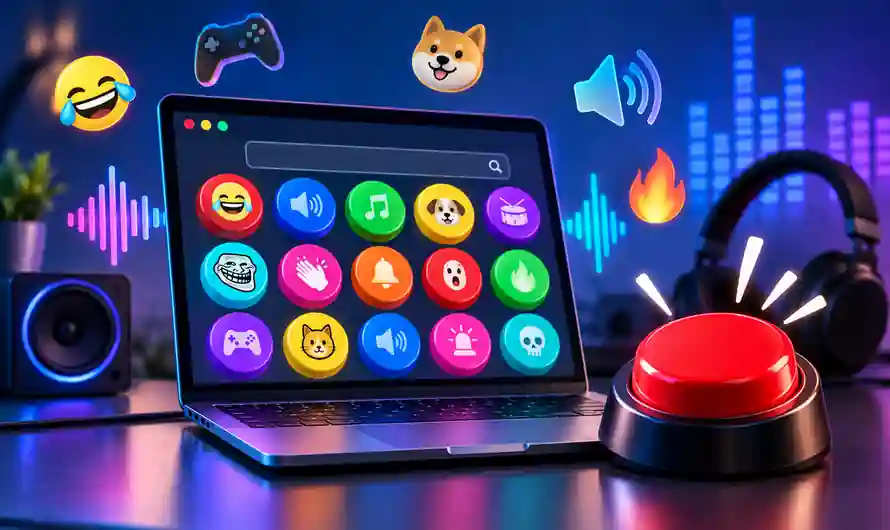
MyInstants.com is useful for anyone looking for quick meme audio, reaction sounds or short sound effects. You can search for a sound, open its button, play it directly in the browser and use the available download option. The website also supports embedding individual sound buttons, which can be useful for creators and websites.
What Is MyInstants.com?
MyInstants.com is an online soundboard platform where users can discover and instantly play short audio clips, meme sounds and funny sound effects. Its simple button-based interface makes finding a particular sound much easier than searching through long audio files.
The platform currently contains meme sounds, funny sounds and many other categories. Individual sound pages provide options such as playing the sound, adding it to a personal soundboard, sharing it and downloading the MP3 when available.
Why Is MyInstants.com Popular?
The main attraction of MyInstants sound buttons is speed. Instead of downloading a large audio file and opening another application, users can simply click a button and hear the selected sound immediately.
The platform also contains popular meme and reaction sounds that are frequently searched online. Current pages include sounds under categories such as Memes and Funny Sounds, giving visitors an easy way to discover entertaining clips without complicated audio-editing tools.
How to Find Meme Sounds on MyInstants.com
Finding a MyInstants meme sound is straightforward because the platform provides a dedicated search function. You can search using a meme name, phrase, character, reaction or general description.
Step 1: Open MyInstants.com
Open your web browser and visit the official MyInstants.com website. The service works directly through a browser, so you can start searching without installing desktop software.
Use a reliable internet connection for smoother playback. When accessing the website, make sure the domain is spelled correctly and avoid suspicious websites pretending to be the official service.
Step 2: Search for a Sound
Use the search option and enter the keyword related to the audio you want. For example, you can search for a meme, funny reaction, gaming sound or another popular phrase.
Using specific keywords usually produces more relevant results. If your first search does not provide the exact sound, try a shorter keyword or an alternative phrase.
Step 3: Choose the Right Sound Button
Browse the search results and select the sound that matches your requirement. MyInstants displays individual sound pages with the sound name and playback controls.
Some searches can return several similar clips, so check the title carefully before selecting one. This is particularly useful when you are looking for a specific version of a popular meme sound.
Step 4: Play the Sound
Open the selected sound page and press the sound button to play it. The audio starts directly in the browser, allowing you to quickly test whether the clip is suitable.
This instant playback feature is one of the most convenient parts of the MyInstants soundboard experience. You can return to the results and test another sound whenever necessary.
Step 5: Download the MP3
Some MyInstants sound pages provide a Download MP3 option. When the option is available, you can use it to save the sound file to your device.
Before using a downloaded sound in public or commercial content, check whether you have the necessary rights to use it. A sound being available online does not automatically mean that every type of reuse is permitted. (myinstants)
MyInstants for YouTube, Reels and Gaming
MyInstants meme sounds can be useful for creators working on gaming videos, Shorts, Reels and other short-form content. A short reaction effect can add humour, surprise or emphasis to a particular moment.
However, creators should be careful with copyright. Some sound clips may originate from movies, games, music, television or other copyrighted material. Always check the rights associated with a particular clip before using it in monetized or commercial content.
Popular Sound Categories
One useful feature of MyInstants.com is its broad collection of sound categories. Users can explore meme-related sounds, funny effects and other types of audio instead of relying only on search.
The current website also has individual pages for popular sounds such as “Meme” and “Funny sounds.” The Meme page, for example, currently shows millions of views and provides playback, sharing, download and embedding options. (myinstants)
Can You Embed MyInstants Sound Buttons?
Yes. Some individual sound pages provide an embed option along with a ready-made iframe. This can be useful for bloggers, websites and online communities that want to place an interactive sound button on a webpage.
For example, MyInstants currently provides an embed code on its individual Meme sound page. This means users can potentially add the interactive button without hosting the audio player themselves.
Is MyInstants.com Free?
MyInstants provides access to its soundboard and allows visitors to play sounds directly through the website. Individual sound pages also show options such as sharing, adding sounds to a soundboard and downloading MP3 files where available.
Because individual sounds can have different origins and rights, users should not assume that every available clip can be freely reused for commercial purposes. For professional projects, verify the relevant usage rights before publishing.
Is MyInstants.com Safe?
When using MyInstants.com, the safest approach is to access the official domain directly and avoid unofficial download pages claiming to offer modified versions of the service.
Users should also be careful with browser notifications, advertisements and external links. Do not install unknown extensions or software simply because a pop-up recommends it. For downloading audio, use the download option provided on the relevant MyInstants page.
MyInstants for Content Creators
For content creators, funny sound effects can be a useful editing resource. A short sound can make a reaction more noticeable, strengthen a joke or create a dramatic transition in a video.
MyInstants can therefore be useful as a sound-discovery platform. The important step is checking whether a particular audio clip is appropriate for your intended use. This is especially important for YouTube monetization, advertisements, client projects and other commercial content.
Final Verdict
MyInstants.com is a convenient online destination for discovering meme sounds, funny sound buttons and short audio effects. Its search system, individual sound pages, instant playback, MP3 download options and embedding features make the platform easy to use.
If you need a quick reaction sound or want to explore popular meme audio, MyInstants is worth checking. Just remember that free access does not automatically mean unrestricted copyright permission. Check the usage rights before adding a sound to public or commercial content.
- Turn Photos into AI Videos on Mobile – Easy Guide
- Malayalam TV Channels App: Watch Live TV on Mobile
- Malayalam FM Radio Guide: Best Stations & Online Streaming
- Quran Malayalam App 2026: Read & Listen in Malayalam
- Ruchikoottu Malayalam Recipes App: Easy Kerala Cooking
Visit MyInstants.com – Official Soundboard