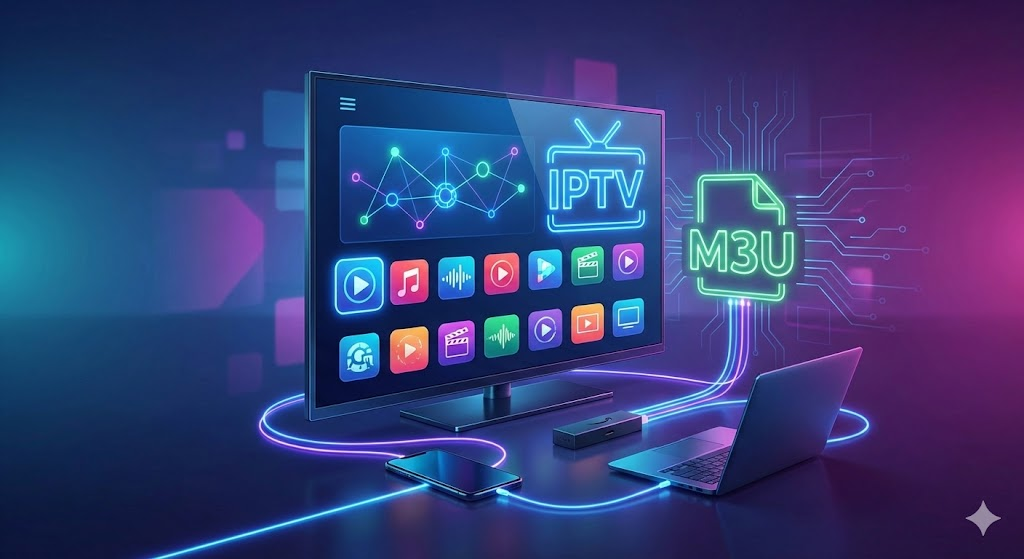
IPTV Smarters Pro is one of the most popular IPTV apps used worldwide for streaming live TV, movies, and series through IPTV playlists. Unlike typical streaming apps, IPTV Smarters Pro works as a powerful IPTV player that allows users to add their own M3U playlist or Xtream Codes API from any legal IPTV provider. The simplicity, professional interface, and multi-device support have made IPTV Smarters Pro extremely popular among IPTV users.
People use the app because it supports IPTV streaming on Android phones, iPhones, Smart TVs, Firestick, Windows, and Mac — making it ideal for both beginners and advanced users. It also offers features like multi-screen viewing, parental control, EPG support, and customizable UI that make it stand out from other IPTV apps. In this guide, you will learn everything about IPTV Smarters Pro — features, setup, compatibility, safety, and step-by-step instructions.
What is IPTV Smarters Pro?
IPTV Smarters Pro is a user-friendly IPTV player that allows users to watch live TV, movies, series, and catch-up content using their IPTV subscription. The app does not provide channels directly; instead, users add their own IPTV playlist in formats like M3U URL, Xtream Codes, or local playlist files.
It is widely known for its smooth interface, advanced streaming options, and ability to organize IPTV content neatly. In 2025, IPTV Smarters Pro continues to be one of the most downloaded IPTV apps because of its stability, frequent updates, and compatibility with almost all devices.
How IPTV Works – Simple Explanation
IPTV (Internet Protocol Television) delivers TV channels over the internet instead of satellite or cable. Here’s how IPTV works:
- Users receive a playlist (M3U) or Xtream Codes from an IPTV provider.
- The playlist is added into an IPTV player like IPTV Smarters Pro.
- The app fetches channel names, EPG (TV guide), logos, categories, etc.
- Live TV, movies, and series start streaming instantly over the internet.
This makes IPTV flexible, affordable, and easy to access from any device.
Key Features of IPTV Smarters Pro
Below are the top features that make IPTV Smarters Pro one of the best IPTV players in 2025:
1. M3U URL Support
Easily load M3U playlists from your IPTV provider.
2. EPG (Electronic Program Guide)
Allows you to view TV schedules for live channels.
3. Live TV Streaming
Stream thousands of live channels through your IPTV service.
4. Movies & Series Section
Organized library for VOD (Video on Demand).
5. Multi-Screen Support
Watch multiple channels simultaneously.
6. Parental Control
Lock certain categories for safety.
7. Picture-in-Picture (PIP)
Watch a small window while navigating the app.
8. Built-in Speed Test
Check internet speed directly inside the app.
9. UI Customization
Choose themes, colors, and layout styles.
10. Cross-Platform Support
Available on Android, iOS, Firestick, Smart TVs, Windows, and Mac.
These features make IPTV Smarters Pro a professional-level streaming app suitable for home users, travelers, and IPTV enthusiasts.
Step-by-Step Guide: How to Use IPTV Smarters Pro
Follow this complete setup guide using IPTV Smarters Pro:
Step 1: Download IPTV Smarters Pro
| Platform | Download Button |
|---|---|
| Windows (Microsoft Store) |
⟶ Install from Microsoft Store |
Go to your device’s app store or official site and download IPTV Smarters Pro.
Step 2: Install the App
Install IPTV Smarters Pro like any other streaming app.
Step 3: Open IPTV Smarters Pro
Launch the application to begin setup.
Step 4: Choose “Load Your Playlist or File/URL”
This is where you add your IPTV playlist to IPTV Smarters Pro.
Step 5: Add M3U Playlist
Enter the M3U URL provided by your IPTV provider.
Step 6: Add EPG Link
Optional but recommended: Add TV guide link for accurate EPG.
Step 7: Login & Sync Content
IPTV Smarters Pro will load channels, categories, and logos automatically.
Step 8: Start Watching Live Channels
Select Live TV, Movies, or Series — IPTV Smarters Pro will stream instantly.
Step 9: Troubleshooting Tips
- If channels don’t load, refresh the playlist.
- Clear cache inside IPTV Smarters Pro.
- Make sure your M3U playlist is active and valid.
Compatibility: Devices Supported by IPTV Smarters Pro
IPTV Smarters Pro is compatible with almost every modern platform:
🔹 Android Smartphones & Tablets
Available through Google Play Store or APK.
🔹 iOS Devices
Compatible with iPhones and iPads.
🔹 Smart TVs (Samsung, LG, Android TV)
Dedicated app for large screens.
🔹 Firestick / Fire TV
One of the most used devices for IPTV Smarters Pro.
🔹 Windows & Mac
Desktop applications allow IPTV streaming on PC/laptop.
This wide compatibility makes IPTV Smarters Pro suitable for all types of IPTV setups.
Safety, Legality & Important Disclaimer
IPTV Smarters Pro does NOT provide any channels.
It is only a media player.
Users must add their own legal IPTV playlists from verified IPTV providers.
This guide is for educational purposes and does not endorse illegal IPTV streaming. Always use IPTV responsibly.
Pros & Cons of IPTV Smarters Pro
Pros
- Easy-to-use interface
- Supports M3U and Xtream Codes
- Multi-screen & PIP modes
- Works on all major devices
- Built-in speed test
- Customizable UI
- Smooth, lag-free performance
Cons
- No channels included by default
- Some advanced features may require paid version
- Dependent on internet quality
Why IPTV Smarters Pro Is Popular in 2025
In 2025, IPTV Smarters Pro continues to dominate because:
- More users are shifting from cable TV to IPTV.
- Multi-device support makes it flexible.
- Powerful features like multi-screen, PIP, parental control.
- Regular updates ensure better performance.
- Clean and modern UI improves the user experience.
Overall, IPTV Smarters Pro has earned a strong reputation as the best IPTV player for both beginners and professional users.
Conclusion
IPTV Smarters Pro stands out as one of the best IPTV players available in 2025. With support for live TV, movies, M3U playlists, and Xtream Codes, it provides a complete IPTV streaming experience. The interface is beginner-friendly, yet powerful enough for advanced users. Whether you’re watching on a smartphone, Smart TV, Firestick, or PC, IPTV Smarters Pro delivers stable performance and unmatched flexibility.
If you want a reliable, customizable, and secure IPTV player, IPTV Smarters Pro is an excellent choice for your streaming needs.
| Platform | Download Button |
|---|---|
| Windows (Microsoft Store) |
⟶ Install from Microsoft Store |
View this post on Instagram
How to Check If an Online Loan App Is Fake or Dangerous (2025 Full Guide)
How to Transfer Large Money Safely Online (NEFT/RTGS/IMPS Guide 2025)