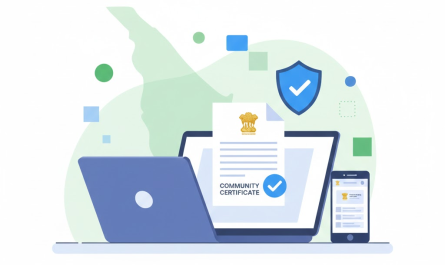
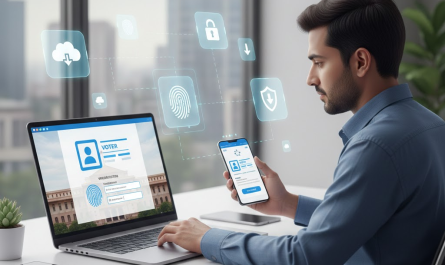
In today’s digital world, storing important documents safely is essential for students and citizens. Educational certificates like SSLC, +2, degree, and marksheets are required throughout life for jobs, admissions, and government services. Unfortunately, physical documents can be lost, damaged, or misplaced over time.
DigiLocker solves this problem by allowing users to store documents digitally in a secure government platform. It reduces paperwork, speeds up verification, and ensures easy access anytime. This guide explains How to Upload Certificates in DigiLocker in a simple, step-by-step manner so anyone can use it confidently.
What Is DigiLocker?
DigiLocker is a digital document wallet launched by the Government of India under the Digital India initiative.
Key Features of DigiLocker
- Secure cloud-based storage
- Linked with Aadhaar
- Access documents anytime, anywhere
- Accepted by government departments and institutions
- Reduces need for physical documents
DigiLocker helps citizens manage and share documents digitally in a safe way.
Types of Certificates You Can Upload in DigiLocker
You can upload various documents and certificates in DigiLocker, including:
Educational Certificates
- SSLC / Class 10 certificates
- +2 / Class 12 certificates
- Degree certificates
- Provisional certificates
- Mark sheets
Other Documents
- Aadhaar card
- PAN card
- Driving license
- Voter ID
- Income and caste certificates
DigiLocker educational certificates are widely accepted across India.
Difference Between Issued Documents & Uploaded Documents
Understanding this difference is very important while learning How to Upload Certificates in DigiLocker.
Issued Documents
- Automatically fetched from issuing authorities
- Digitally signed and verified
- Highly trusted and universally accepted
- Example: CBSE marksheet fetched directly
Uploaded Documents
- Manually uploaded by the user
- Useful when issued documents are not available
- Accepted in many cases but may require verification
Issued documents carry higher authenticity, but uploaded documents are still useful.
How to Upload Certificates in DigiLocker (Step-by-Step Guide)
Below are two simple methods to complete DigiLocker certificate upload.
Method 1: Upload Using DigiLocker Mobile App
Step 1: Download DigiLocker App
- Install DigiLocker from Play Store or App Store
Step 2: Login
- Login using Aadhaar number or mobile number
- Verify with OTP
Step 3: Go to Uploaded Documents
- Tap on “Uploaded Documents” section
Step 4: Click on Upload
- Tap the Upload (+) button
Step 5: Select Document Type
- Choose certificate type (SSLC, marksheet, degree, etc.)
Step 6: Upload File
- Select PDF, JPG, or PNG file from your phone
Step 7: Save & Verify
- Save the document
- Add details like name and year if required
This method is best for students using smartphones.
Method 2: Upload Using DigiLocker Website
Step 1: Visit DigiLocker Website
- Open DigiLocker official website
Step 2: Login
- Login using Aadhaar or mobile number
Step 3: Select Upload Documents
- Go to “Uploaded Documents”
- Click on Upload
Step 4: Choose File
- Select document from your computer
Step 5: Save Document
- Add required details
- Save successfully
Both methods explain How to Upload Certificates in DigiLocker easily.
File Size & Format Requirements
Before you upload documents in DigiLocker, ensure the following:
Accepted File Formats
- JPG
- PNG
- JPEG
File Size Limit
- Maximum file size: 10 MB per document
Tips to Reduce File Size
- Use mobile scanning apps
- Compress PDF files online
- Crop unnecessary background
- Scan in black & white for marksheets
How to Link Uploaded Documents with Issuing Authority
Linking documents improves DigiLocker document verification.
Important Steps
- Select correct document type
- Enter year of issue
- Choose issuing authority (board/university)
- Ensure name matches Aadhaar
Correct metadata ensures smoother acceptance and verification.
Is Uploaded Document Valid in DigiLocker?
Yes, uploaded documents are valid in many situations.
Validity Explained
- Uploaded documents are valid for personal reference
- Accepted by many colleges and offices
- Issued documents have higher legal value
- Government departments prefer issued documents
Uploaded certificates are helpful when issued copies are unavailable.
Common Problems & Solutions
Here are common issues faced during upload marksheet in DigiLocker and how to fix them:
1. Upload Failed
- Check internet connection
- Try again later
2. File Size Error
- Compress the file
- Reduce resolution
3. Document Not Visible
- Refresh the app or website
- Re-login to account
4. Name Mismatch
- Update Aadhaar details
- Ensure correct spelling
Most issues can be resolved easily with proper checks.
Benefits of Uploading Certificates in DigiLocker
Uploading certificates provides many advantages:
- ✔ Easy access anytime, anywhere
- ✔ Safe from loss or damage
- ✔ Faster verification
- ✔ Accepted by government departments
- ✔ Reduces physical paperwork
- ✔ Useful for students and job seekers
DigiLocker for students is especially helpful during admissions and exams.
FAQs
1. Can I upload handwritten documents in DigiLocker?
Yes, but scanned copies are preferred for clarity.
2. Is Aadhaar mandatory for DigiLocker?
Aadhaar is recommended, but mobile-based login is also available.
3. How many documents can I upload?
You can upload multiple documents without a strict limit.
4. Is DigiLocker safe to use?
Yes, it uses government-level security and encryption.
5. Can I delete uploaded documents?
Yes, uploaded documents can be removed anytime.
6. Are uploaded documents accepted for jobs?
Some employers accept them, but issued documents are preferred.
7. Can I upload old certificates?
Yes, as long as you have a scanned copy.
8. Is DigiLocker free?
Yes, DigiLocker services are completely free.
Conclusion
DigiLocker has transformed how citizens manage important documents. It provides a secure, reliable, and easy way to store certificates digitally. Uploading certificates is simple and beneficial for students, job seekers, and professionals. With increasing acceptance by institutions, DigiLocker supports the vision of a paperless and digital India.
By following this guide, anyone can confidently understand How to Upload Certificates in DigiLocker and manage their documents safely.