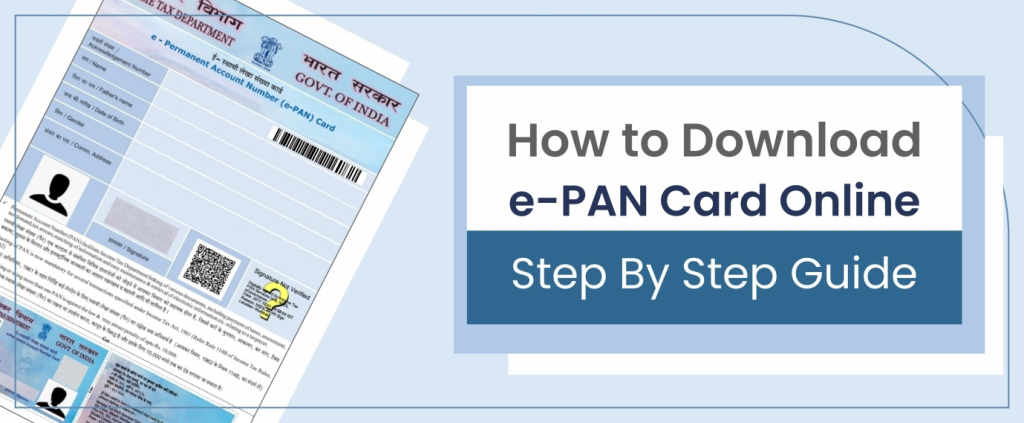
A PAN card is one of the most important identity and financial documents for Indian citizens. In recent years, the government has introduced the e-PAN card, a digital version of the traditional PAN card that can be downloaded instantly online.
In 2026, e-PAN is especially useful because most financial and government services are now digital. Instead of waiting for a physical card, citizens can download their PAN within minutes using Aadhaar.
Difference between physical PAN and e-PAN:
- Physical PAN: A plastic card sent by post
- e-PAN: A digitally signed PDF issued by the Income Tax Department
- Both have the same legal validity
What Is e-PAN and Who Can Download It
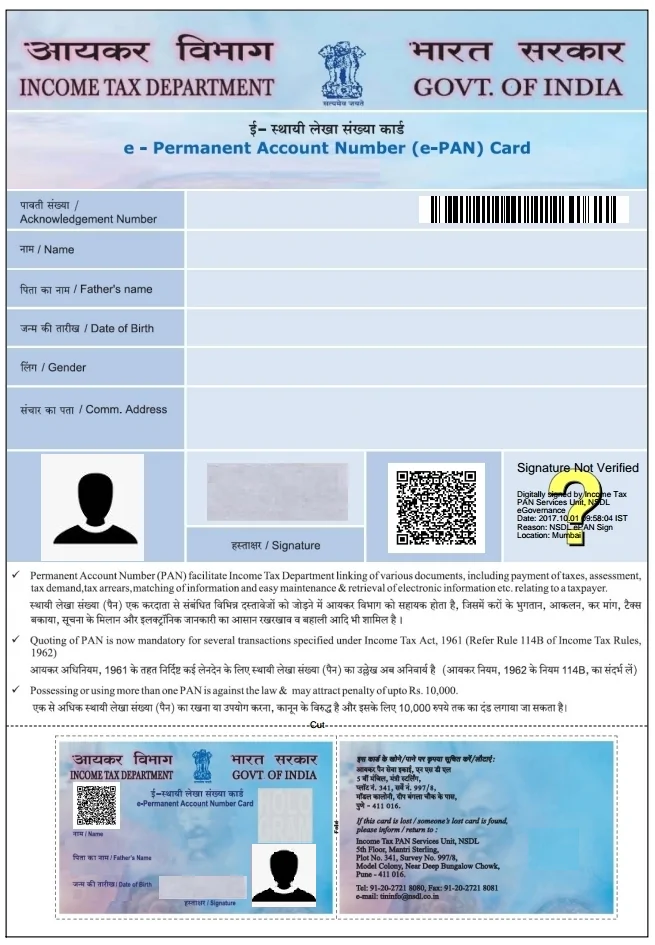
An e-PAN is an electronically issued PAN card in PDF format. It is provided by the Income Tax Department and is legally valid across India.
Eligibility Conditions
You can download e-PAN if:
- Your PAN is already generated
- Your Aadhaar is linked with PAN
- Your mobile number is linked with Aadhaar
e-PAN download works only through Aadhaar-based verification.
Official Websites to Download e-PAN
Indian citizens should use only government-approved portals.
Official Portals
- Income Tax e-Filing Portal – Managed by the Income Tax Department
- NSDL Protean PAN Portal – Authorized PAN service provider
⚠️ Avoid private or third-party websites. They may charge fees or misuse personal data.
How to Download e-PAN Instantly Using Aadhaar – Step-by-Step
Step 1: Visit the Official e-PAN Website
Open a secure browser on your mobile or computer and visit an official government portal:
- Income Tax Department e-Filing portal
- NSDL / Protean PAN services portal
Always check that the website address ends with .gov.in or belongs to an authorized PAN service provider. This ensures your personal data is safe.
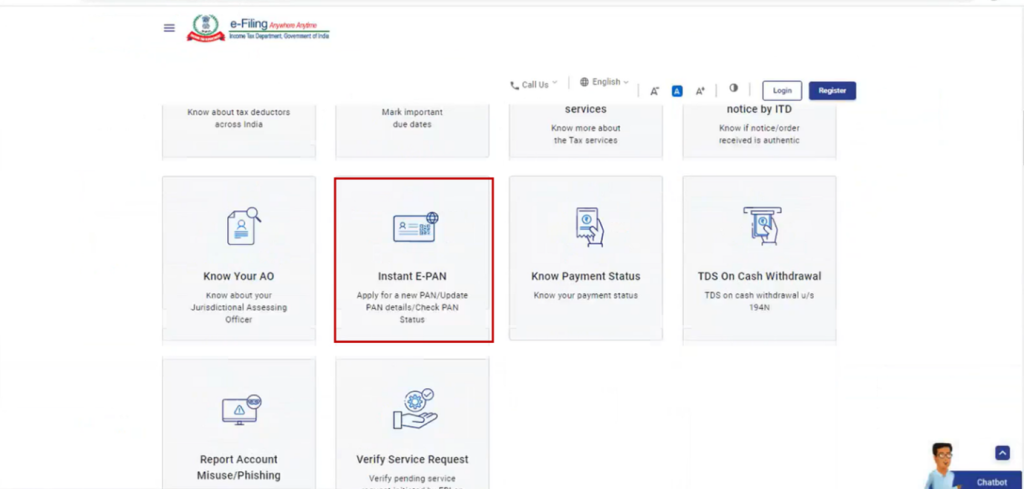
Step 2: Choose “Instant e-PAN” or “Download e-PAN”
On the homepage, look for options such as:
- Instant e-PAN
- Download PAN / e-PAN
- Check Status / Download PAN
Click on the option that mentions Aadhaar-based e-PAN or Instant PAN through Aadhaar.
Step 3: Enter Your Aadhaar Number
You will now see a form asking for your 12-digit Aadhaar number.
Before proceeding, make sure that:
- Aadhaar is already linked with your PAN
- Your mobile number is linked with Aadhaar
- Aadhaar details (name, date of birth) are correct
Enter the Aadhaar number carefully and submit.
Step 4: OTP Verification (Most Important Step)
After submitting Aadhaar details:
- An OTP (One-Time Password) is sent to your Aadhaar-linked mobile number
- The OTP is usually valid for a short time (10–15 minutes)
Enter the OTP exactly as received and submit it for verification.
If OTP is not received:
- Check mobile network
- Retry after a few minutes
- Ensure Aadhaar mobile number is active
Step 5: Identity Confirmation and PAN Details Display
Once OTP verification is successful:
- The system checks Aadhaar–PAN linkage
- Your PAN number and basic details are shown on the screen
- If PAN exists, you will see a Download e-PAN option
If PAN is not found, the portal may suggest applying for a new PAN instead.
Step 6: Download the e-PAN PDF File
Click on Download e-PAN.
- The file is downloaded in PDF format
- The PDF is digitally signed by the Income Tax Department
- There is no fee for downloading e-PAN
Save the file on your phone, computer, or cloud storage.
Step 7: Understand the e-PAN PDF Password
For security reasons, the e-PAN PDF is password-protected.
Common password format:
- Your date of birth in DDMMYYYY format
Example:
If your date of birth is 3 June 1992, the password will be:
03061992
(Some portals may specify a slightly different format; always follow on-screen instructions.)
Step 8: Verify and Store Your e-PAN Safely
After opening the PDF:
- Check your name, PAN number, and date of birth
- Print a copy if needed
- Save a backup on email or cloud storage
The e-PAN can be used immediately for:
- Bank KYC
- Income tax filing
- UPI and financial services
- Government applications
Important Notes to Remember
- e-PAN download works only through Aadhaar-based OTP
- Do not use third-party or unknown websites
- Never share your OTP or PAN PDF with anyone
- You can download e-PAN multiple times if required
Summary
Downloading e-PAN instantly using Aadhaar is a fast, free, and secure process when done through official portals. With Aadhaar-linked verification and OTP authentication, Indian citizens can access their PAN within minutes without waiting for a physical card. This facility supports India’s digital-first approach and makes essential financial documentation easily accessible to everyone.
How to Open e-PAN PDF (Password Rules)
The e-PAN PDF is password-protected for security.
Password Format
- Date of Birth (DDMMYYYY)
OR - Combination of name + date of birth (as specified on the portal)
Example
If your date of birth is 15 August 1995, the password will be:
15081995
Is e-PAN Card Valid for All Purposes?
Yes. An e-PAN card has full legal validity.
Where e-PAN Is Accepted
- Bank account opening
- KYC verification
- UPI and digital wallets
- Income tax filing
- Government services and subsidies
Government departments and financial institutions accept e-PAN the same way as a physical PAN.
Common Problems & Solutions
Aadhaar Not Linked
Link Aadhaar with PAN first through the Income Tax portal.
OTP Not Received
Check if Aadhaar mobile number is active. Try again later.
PAN Not Generated
If PAN was never issued, apply for a new PAN instead of download.
Name or Date Mismatch
Correct Aadhaar or PAN details before retrying.
Important Tips
- Keep your Aadhaar-linked mobile number active
- Download e-PAN only from official portals
- Store the PDF securely (cloud + offline copy)
- Do not share PAN PDF or OTP with anyone
Frequently Asked Questions (FAQ)
Can I download e-PAN without Aadhaar?
No. Aadhaar-based OTP verification is mandatory.
Is e-PAN free?
Yes. Instant e-PAN download is completely free.
Can I print e-PAN?
Yes. A printed e-PAN is accepted for most purposes.
How many times can I download it?
You can download it multiple times from official portals.
Conclusion
Instant e-PAN download using Aadhaar has made PAN access faster, safer, and simpler for Indian citizens. In 2026, it saves time, eliminates paperwork, and supports digital-first governance.
By using only official Income Tax Department or NSDL-approved portals, citizens can securely download their e-PAN within minutes and use it confidently for all financial and government needs.